Club identity: logo, colours, sponsors
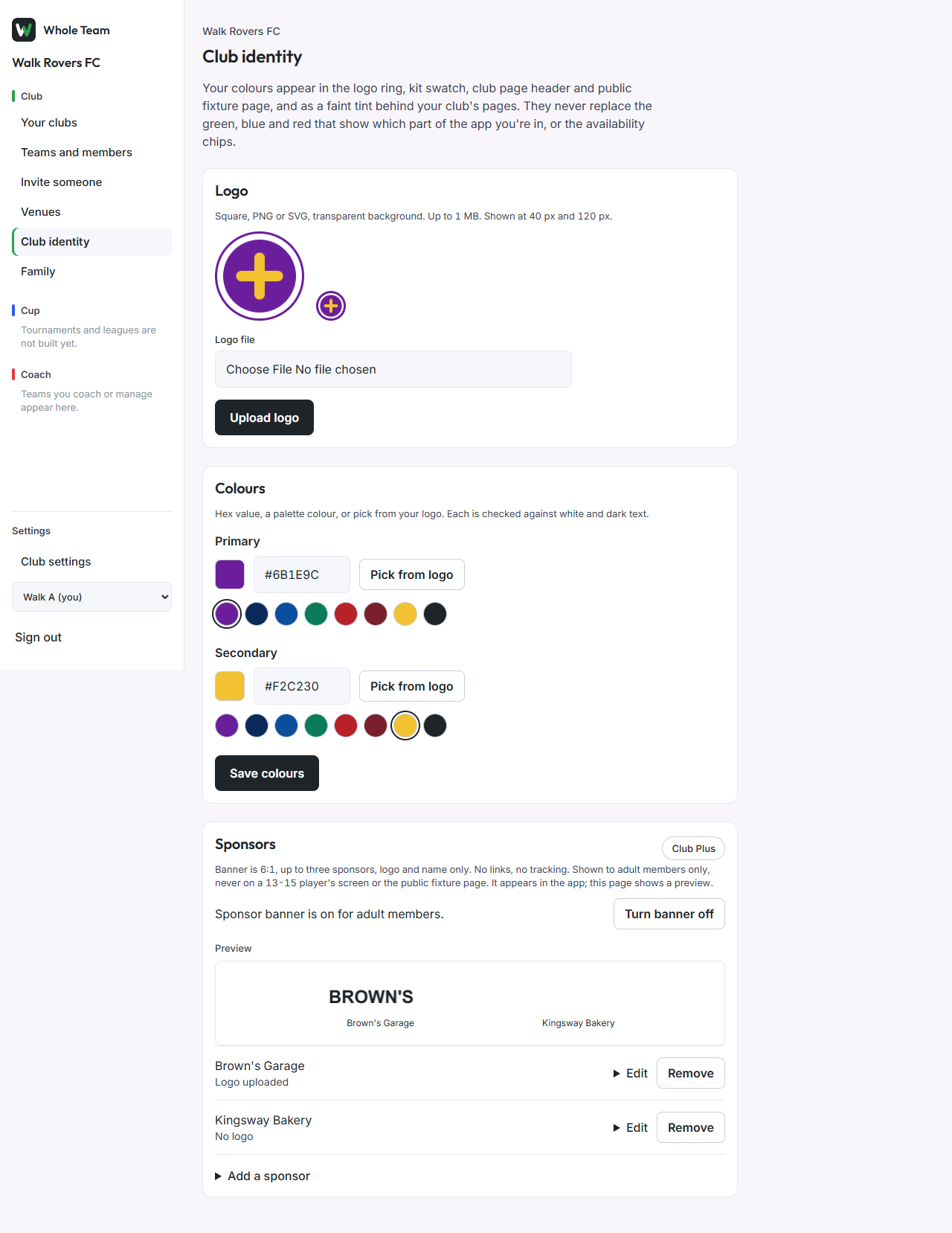
Club admins give the club its logo and two colours, and can list up to 3 sponsors. Your colours appear in the logo ring, the kit swatch, the club page header and the public fixture page, and as a faint tint behind your club's pages. They never replace the green, blue and red that show which part of the app you are in, or the availability chips.
Add the logo
- In the menu, under Club, choose Club identity.
- Under Logo, choose a file: square, PNG or SVG, with a transparent background, up to 1 MB.
- Choose Upload logo. The page shows it at 120 px and 40 px, the two sizes it is used at.
A logo that is not square is refused, and the message gives its size.
Set the colours
- Under Colours, for Primary either type a hex value (like #6B1E9C), tap a colour in the palette, or choose Pick from logo and tap one of the three colours it offers.
- Do the same for Secondary.
- Choose Save colours.
Each colour must be readable against white or against dark text. If it is readable against neither, the page says so and keeps the colour you had.
Sponsors (Club Plus)
- Open Add a sponsor, enter the name, optionally add a logo (PNG or SVG, up to 1 MB), and choose Add sponsor.
- Up to 3 sponsors can be listed. Edit changes a name or logo; Remove takes a sponsor off the banner and keeps the record.
- Turn banner on shows the sponsor banner to adult members in the app. The page shows a preview.
The banner is 6:1, logo and name only, with no links and no tracking. It is never shown to a 13-15 player or on the public fixture page.