

Run the whole club in one place
Money
Subs, in the club's own account, on one page.
Money goes straight to the club's bank; we never hold it. The treasurer gets one page with five tabs: Overview, To chase, Subs, Ways to pay and All payments. Our fee is a line of its own on every one of them.
- Five numbers. What's come in this term, what's owed, what's overdue, the next payout, and our fee: 1%, capped at £5, on its own line, never mixed into a club figure.
- Three ways to charge. A one-off, a season with instalments on dates you choose, or pay-as-you-play, charged after the child was there and the session happened.
- Chasing without the awkwardness. A reminder goes out with your name on it, and it never guesses why somebody hasn't paid.
- Sibling discounts and hardship waivers apply themselves. A family on a waiver sees their figure, not a label.
- One CSV, one click. Any date range, the same columns every time, for whoever does the accounts.
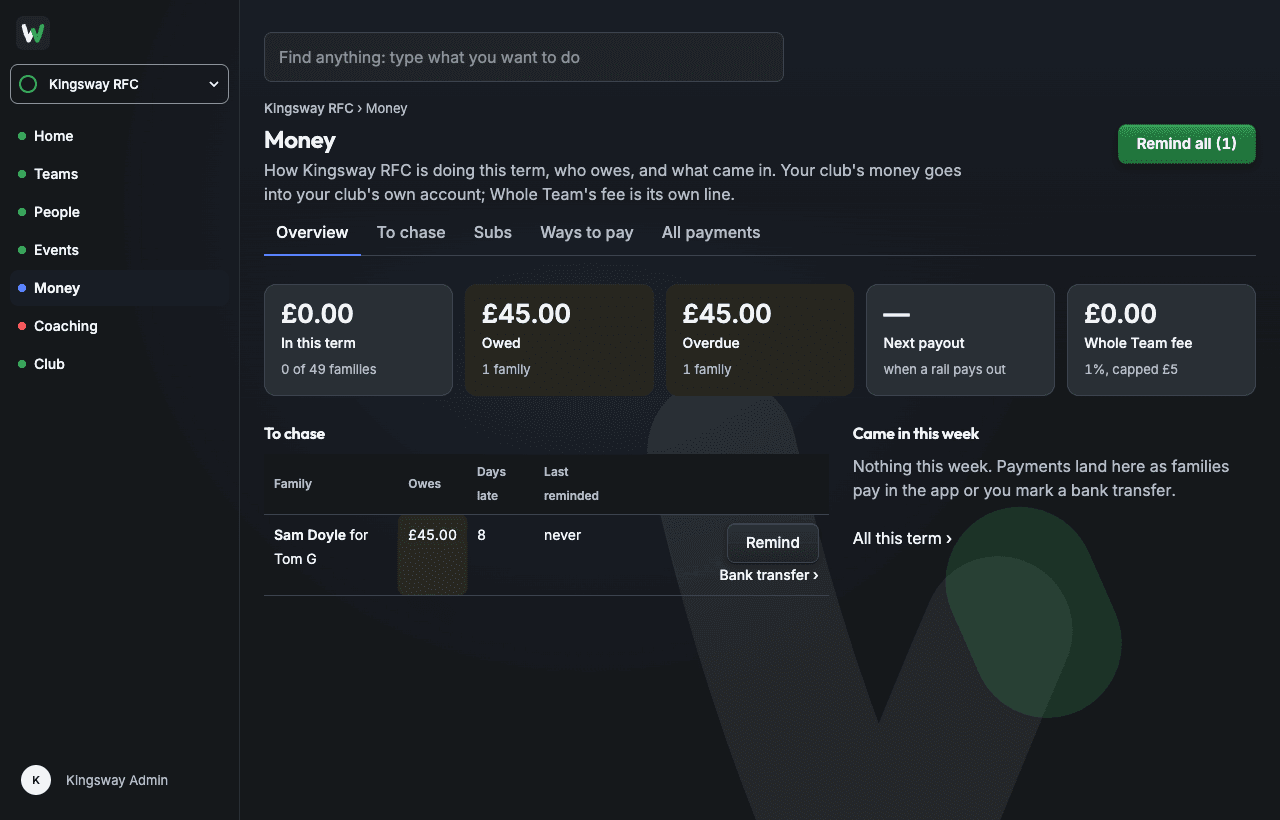
Money › Overview, on a test club. No invoices, no expenses, no ledger: clubs have an accountant, and this isn't trying to be one.
Ways to pay
Card and Pay by Bank, through the club's own Stripe account.
Subs, match fees and the tea hut go straight to the club's bank, and the fee to the club sits beside ours on the treasurer's page. Direct Debit runs through the club's own GoCardless account. Nothing is shown as live before it is.
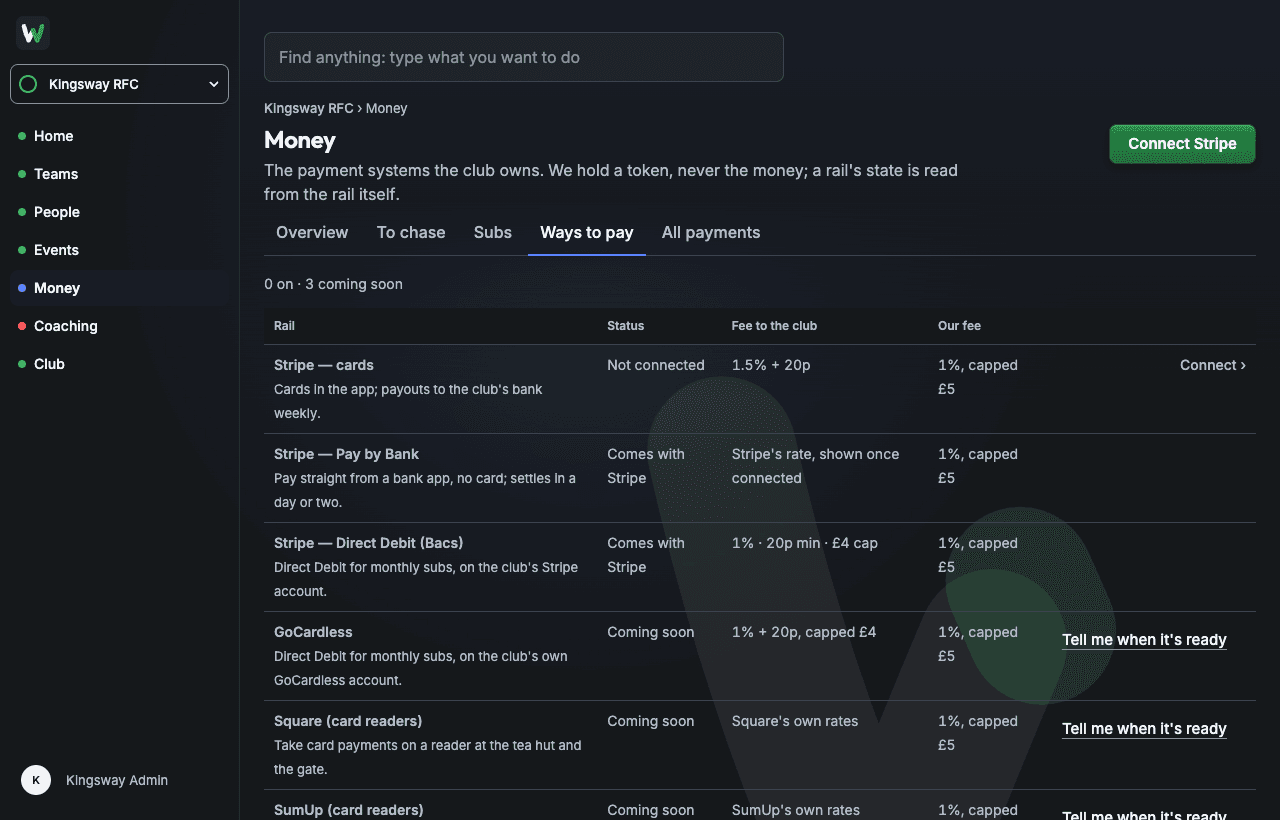
Money › Ways to pay, on a test club. Each way to pay shows the state Stripe reports, not a setting of ours.
- Stripe, cards: 1.5% + 20p to the club. Payouts weekly to the club's own bank.
- Stripe, Pay by Bank: straight from a bank app, no card. The rate goes on the page when Stripe confirms it.
- Stripe Direct Debit (Bacs): 1%, 20p minimum, £4 cap. On when Stripe says so.
- GoCardless, SumUp, Square: next, with their own rates when they come. You can ask to be told.
- Our fee, on every payment: 1%, capped at £5, nothing on payments under £3, shown as its own line.
Tea hut
A till on a phone, and who's on today.
The tea hut team sell from the app or the website: cash, card by QR, or onto a family's tab. Every sale lands in Money beside the subs, and the club's treasurer can run the till too.
- Cash, card by QR, or a tab. The buyer scans the QR with their own phone and pays by card. A tab gathers a match day's teas into one payment, and can be for any adult at the club.
- Not mine. A family who sees a line on their tab that isn't theirs says so in the app. It leaves what they owe, and the treasurer moves it or cancels it.
- Accept first, if you want. Switch it on and a family accepts each item on their tab in the app. No answer in 24 hours and it's owed anyway, marked not answered.
- Tea hut on every home day. Say how many people, and every home match gets a Tea hut slot, now and as matches are added. Who's on is on the Tea hut page.
- The rota opens the till. Anyone on a day's Tea hut rota can open the till that day, from an hour before to an hour after.
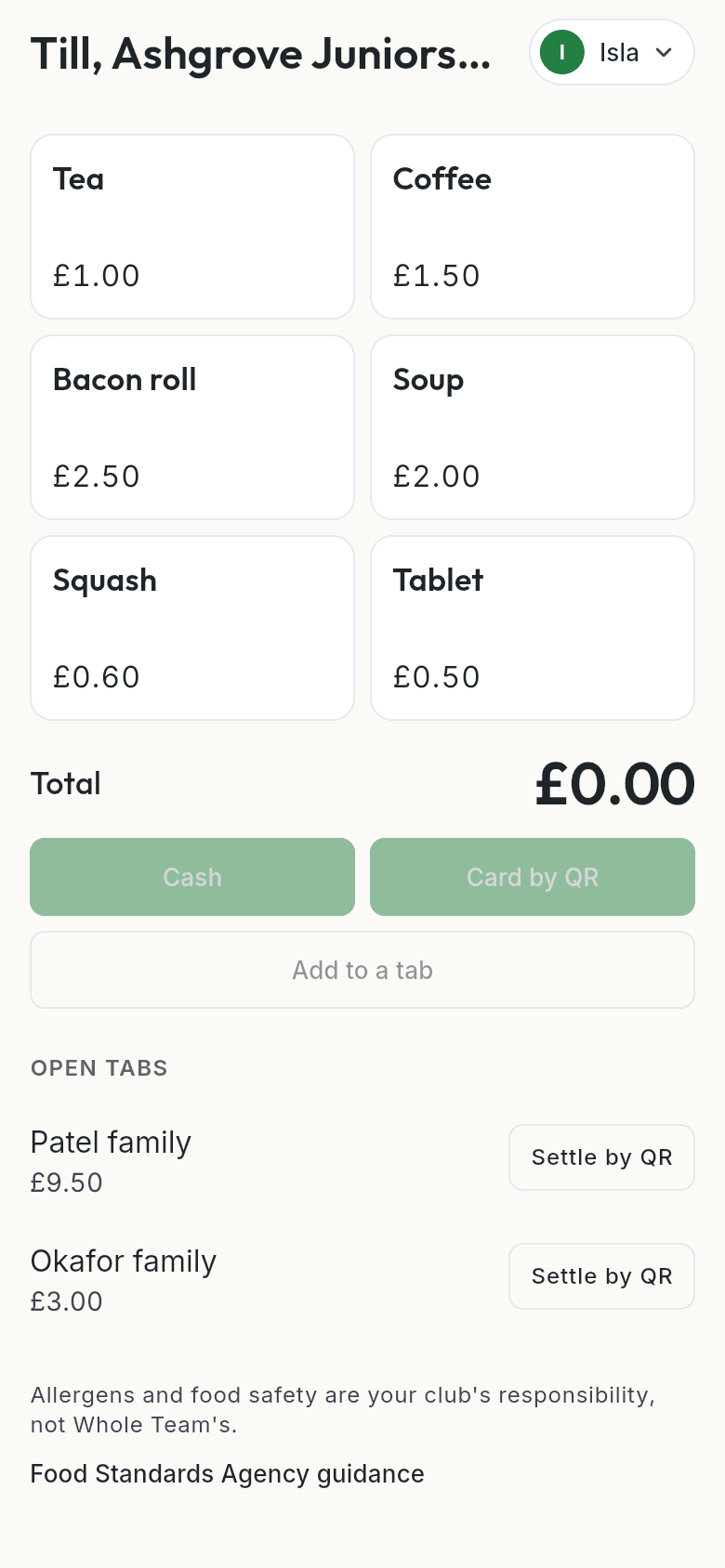
The till in the app, on a made-up club.
Fundraising and tours
Every payment for the tour fund, tagged.
A campaign has a name, a short tag like TOUR27, a target, and dates if you want them. Put any number of events in it, and every payment for them carries the tag: in the club's books, in Stripe, and on the payer's card statement.
- Raised so far. Till sales, event prices and a tour's instalments, added up across the campaign against its target.
- On the club's website. A running campaign can show its bar on the front page.
- Its own export. The club's CSV with only that campaign's payments. The export has two new columns at the end, event and campaign, so the nineteen your accountant already reads keep their places.
- Refunds too. A refund carries the same tag as the payment it returns.
- Sign up from the app or the website. The price a child in instalments, a deposit and then more by dates you set. They appear in Payments and are chased like any other payment.
- The consent form. The club's own words, with dietary needs, medical notes for the trip, an emergency contact for the dates, who may collect, and passport details for a tour abroad. Signed with a typed name; forms lock on a date you set.
- Passports, kept close. Stored encrypted and shown as the last four digits. The full number only to the tour's organisers and the safeguarding officer, and in the trip export only when they tick for it.
- One page for the organiser. Paid, overdue, consent and the tour fund. A family who withdraws owes no more instalments.
Roles and the rota
Everyone's roles, on one row.
Members and roles, under People, lists everyone at the club with every role they hold. A person's row opens their roles, to add or remove one: admin, year group manager, coach, treasurer, tea hut, safeguarding officer, quartermaster, organiser, supporter or parent. A club always keeps at least one admin.
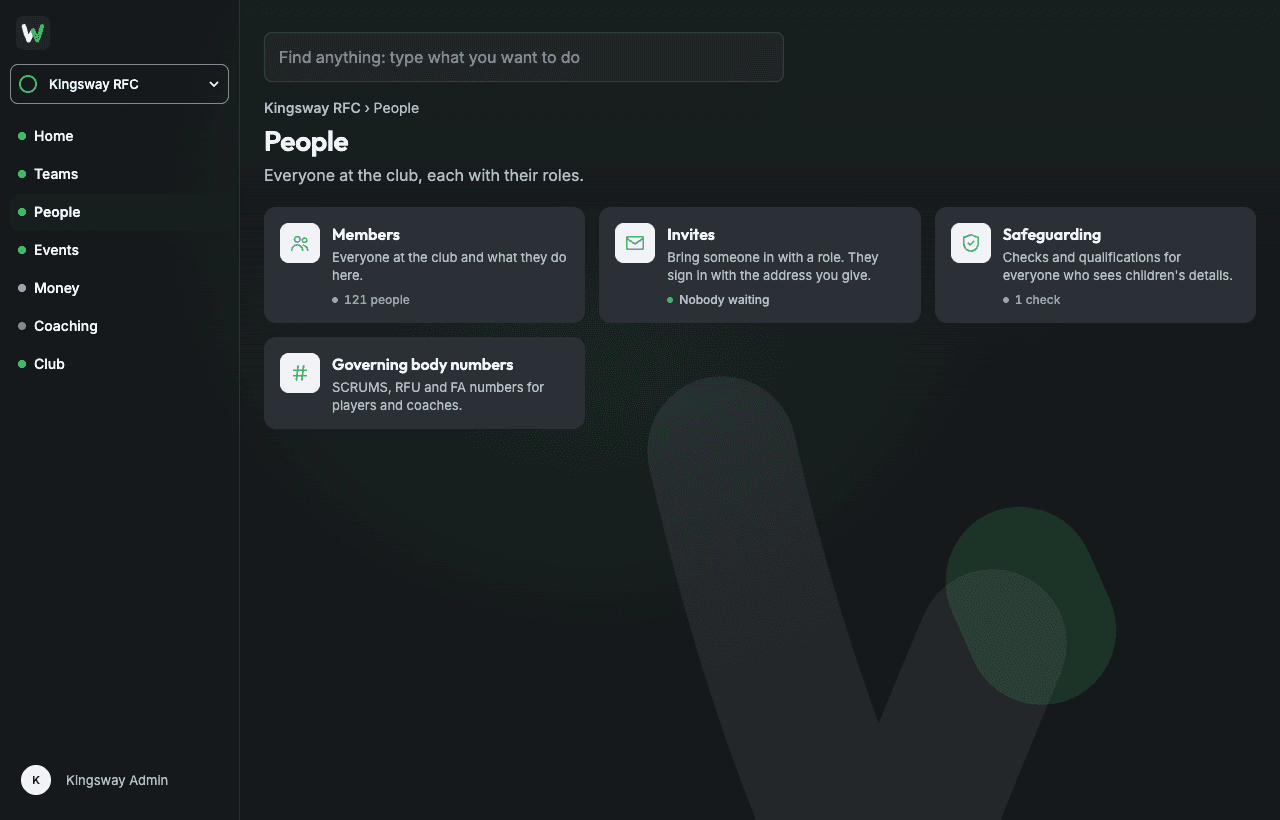
People, on a made-up club.
- A rota on any day. Add roles to any event: Marshal, Tea hut, First aid, or your own. Adults put their own name down.
- The short ones first. People › Volunteers lists every coming day's rota, with the days still short of people at the top.
- Roles where the work is. The treasurer runs Money and the till; the tea hut role runs the till; a tour's organisers run the tour.
The portal
Seven sections. One page each.
Home, Teams, People, Events, Money, Coaching and Club. Each opens on a page that says what's there and what needs doing. When something needs filling in, a panel opens beside the list and the list stays put.
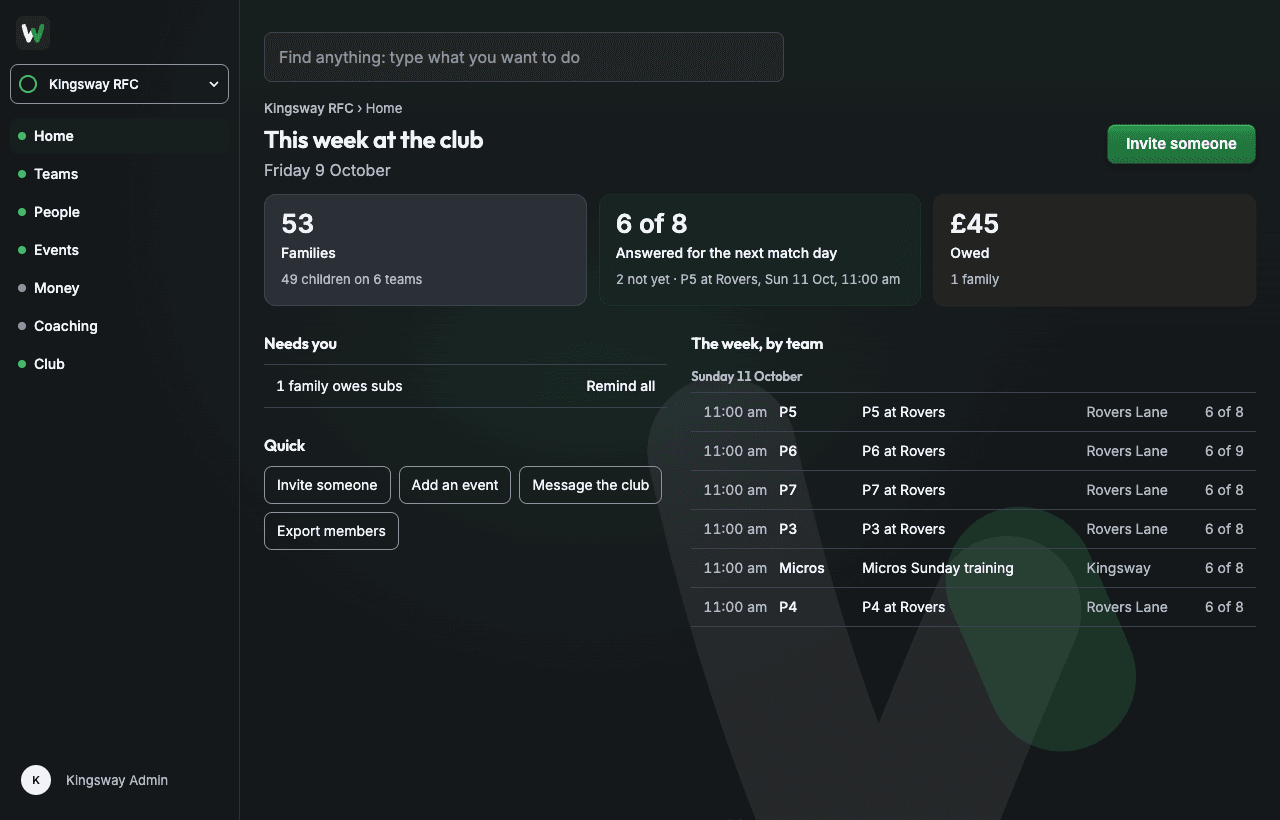
Home: this week at the club. Every line under Needs you is a job, with its button beside it.
- The season is one table. Every event in one list; teams sharing a place and time are one row; a block of thirty training sessions is set up once.
- People, by the hats they wear. Coach of the U10s, treasurer, parent of two: roles added or removed beside the list.
- Set up a season once. New season rolls every team forward and keeps last season's sheets and results where they were.
- Coaches' checks, tracked. PVG, DBS or AccessNI, with the renewal date; the club digest flags it at 60 and 30 days.
- Who's actually using it. “U10s: 5 of 12 families active” tells you who to nudge, and the nudge goes to the coach, not the parents.
New in 1.0.3
Your profile, and who to call.
The things a club needs before a season starts: a name and a mobile number for the people who run it, and who to ring if a child is hurt. Asked once, kept in one place, and shown only to the people who might have to make that call.
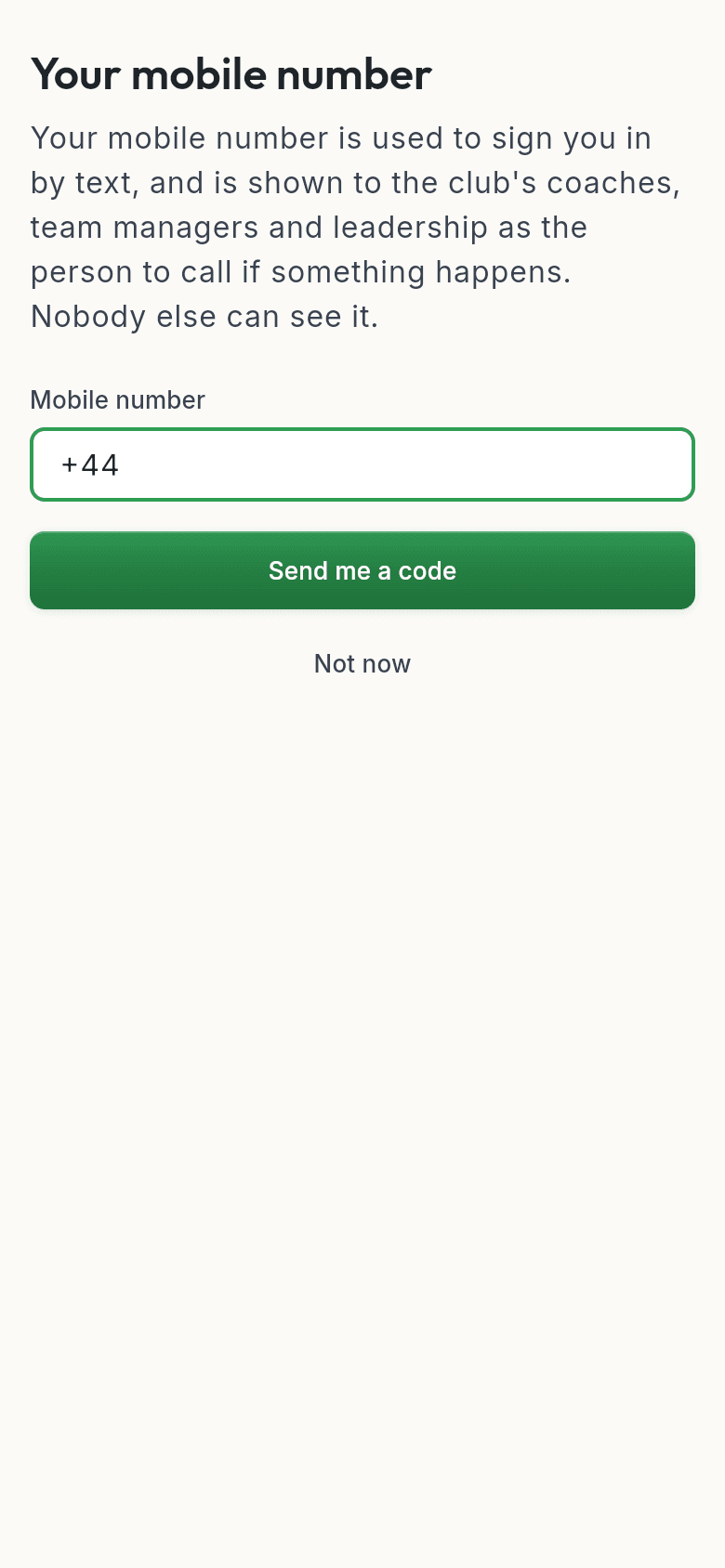
Your name and your mobile, asked once. The club's coaches and committee see the number; nobody else does.
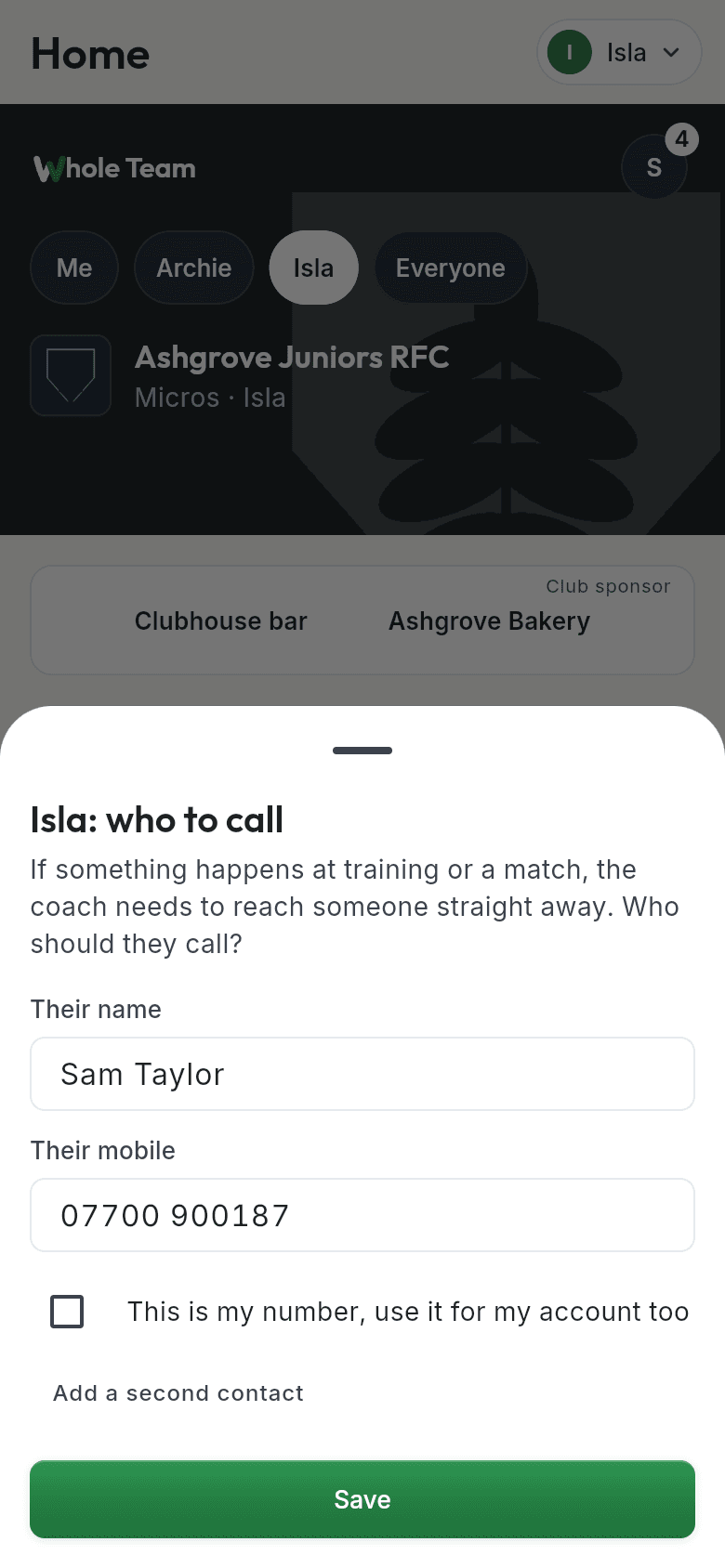
Who to call if something happens, set by the child's own parent.
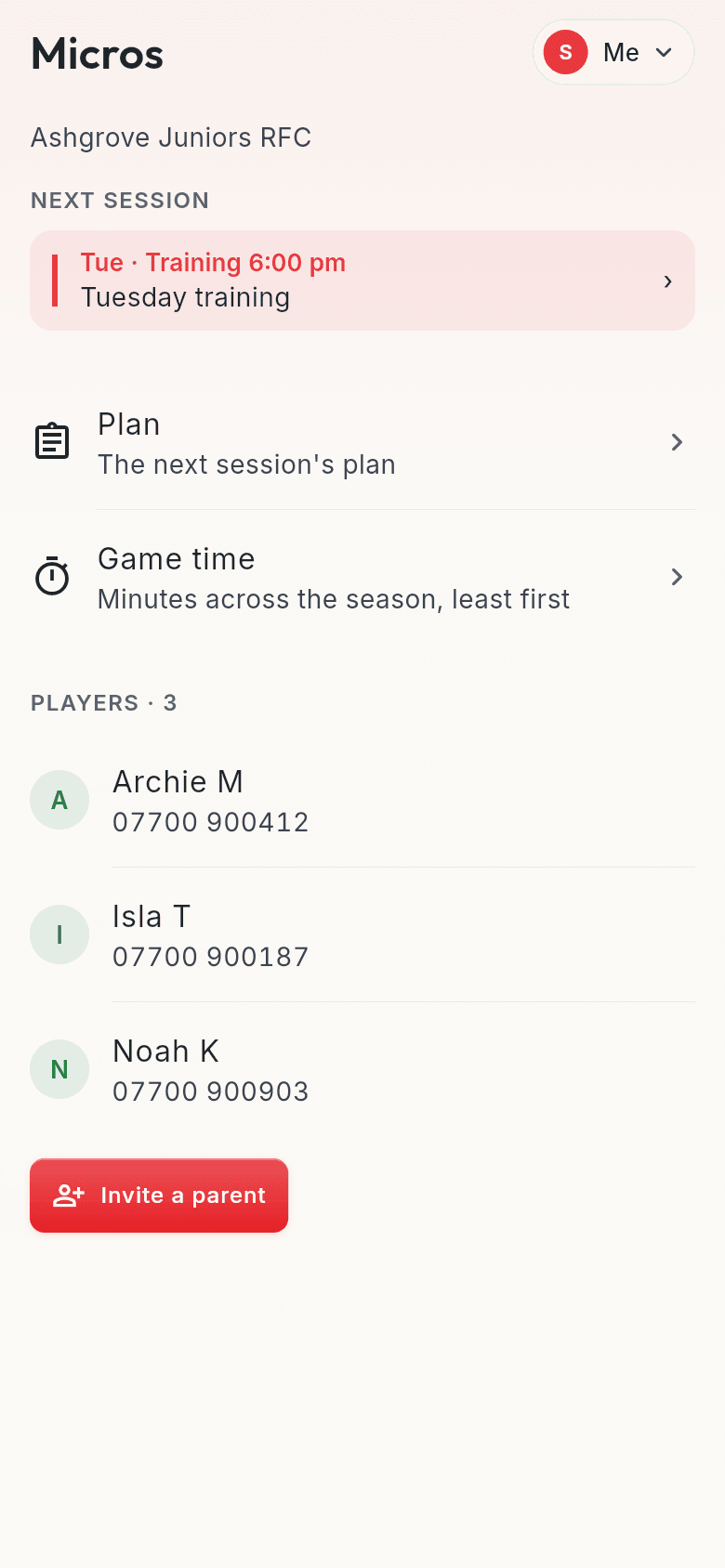
Your sport's registration number for each player and coach, kept on the team, where the list gets asked for.
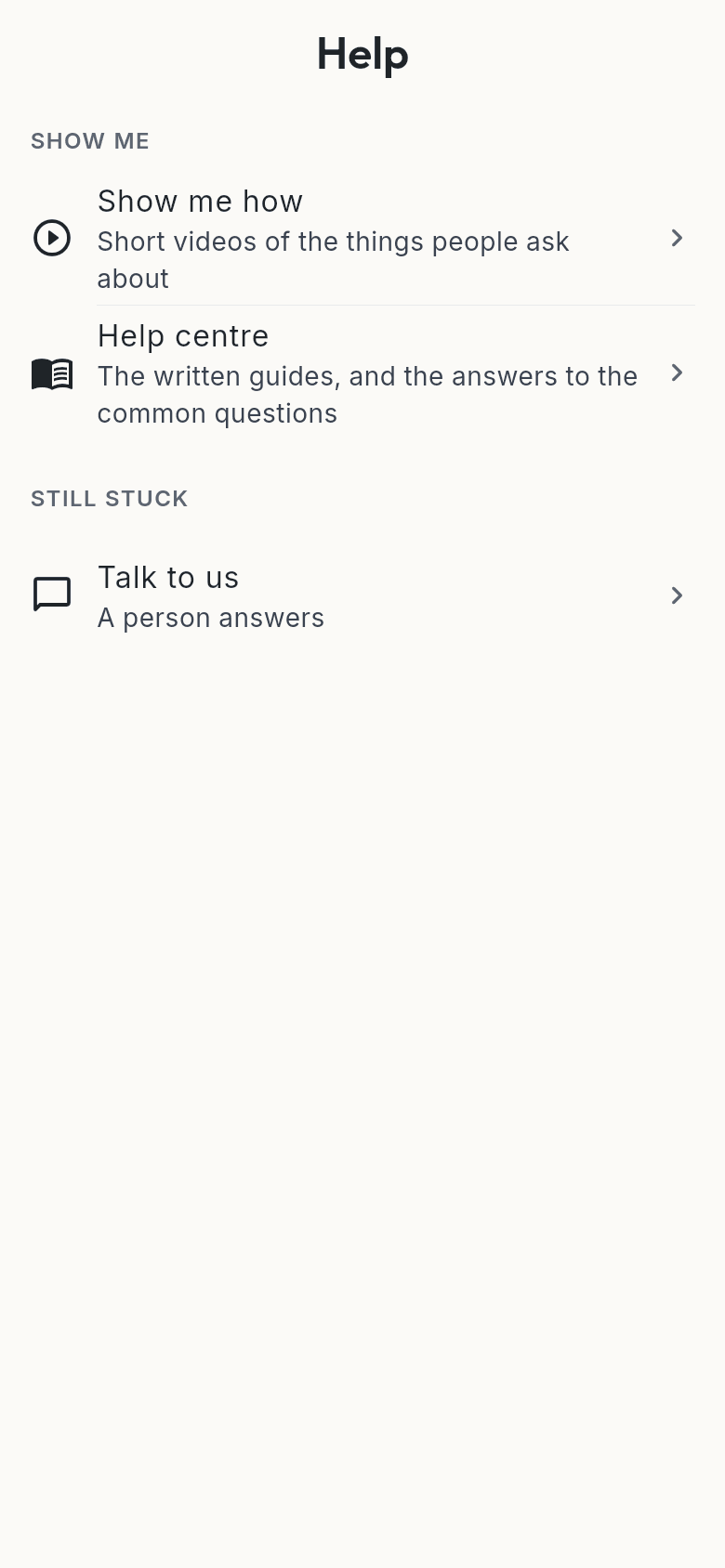
Help, starting with “What can I see?”: who sees what at your club, and why.
Your badge, everywhere
Upload the crest once. It's everywhere.
The badge you already have, as a PNG with a transparent background or an SVG, becomes the tile on Home, the watermark behind the week and the sign-in page, in the club's own colour, on every family's phone. Haven't got the file? Find your badge looks it up from the club's name and town. The green, blue and red that tell you which part of the app you're in stay as they are.
- One upload, three pictures. The cut-out, the white outline the app tints, and the club's colour, all made from the file you give us.
- Two clubs, two looks. A parent with children at two clubs sees each club's crest on its own Home, and a plain ring for a club that hasn't set one yet.
- Never someone else's. A badge is the club's to confirm; nothing is painted until an admin says so.
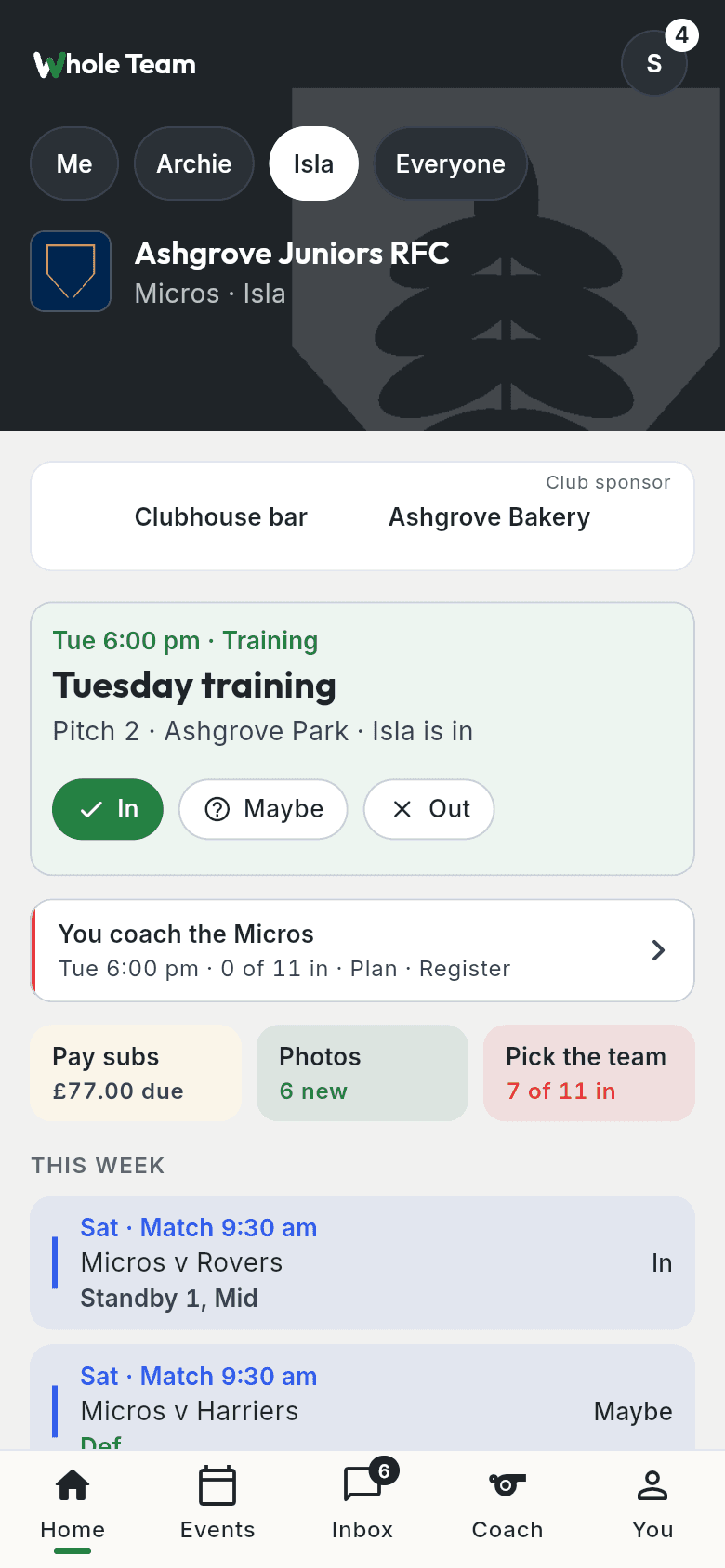
Home in the app: the crest on the band and the watermark behind it, on a made-up club.
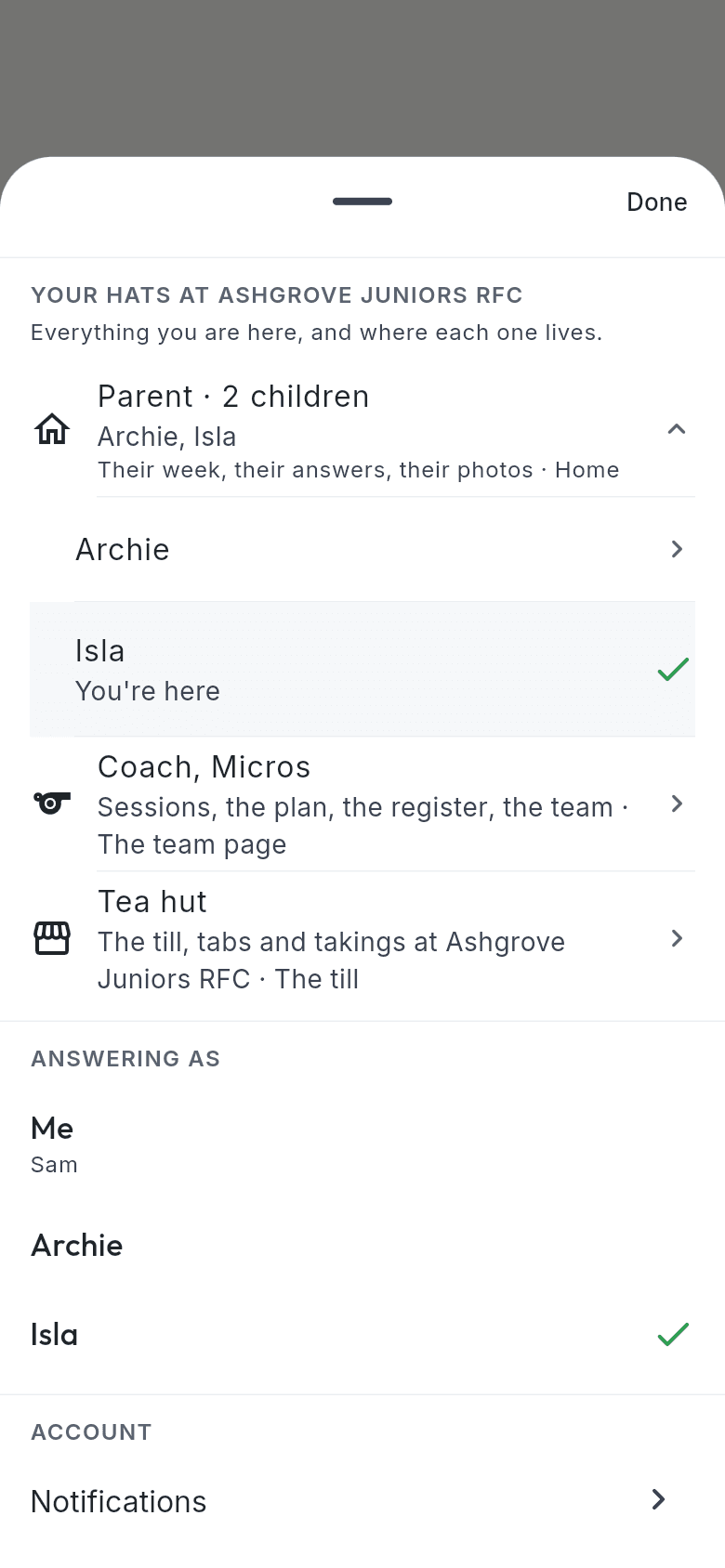
One person, every role: parent, coach, tea hut.
Lost property
The bin bag of boots, emptied.
Whoever finds it takes a photo. A family taps “That's ours” and the finder hears once, in the digest. Anything unclaimed after four weeks goes into the club's kit box, and the committee clears the box from the portal, a batch at a time. Members only; never a public page.
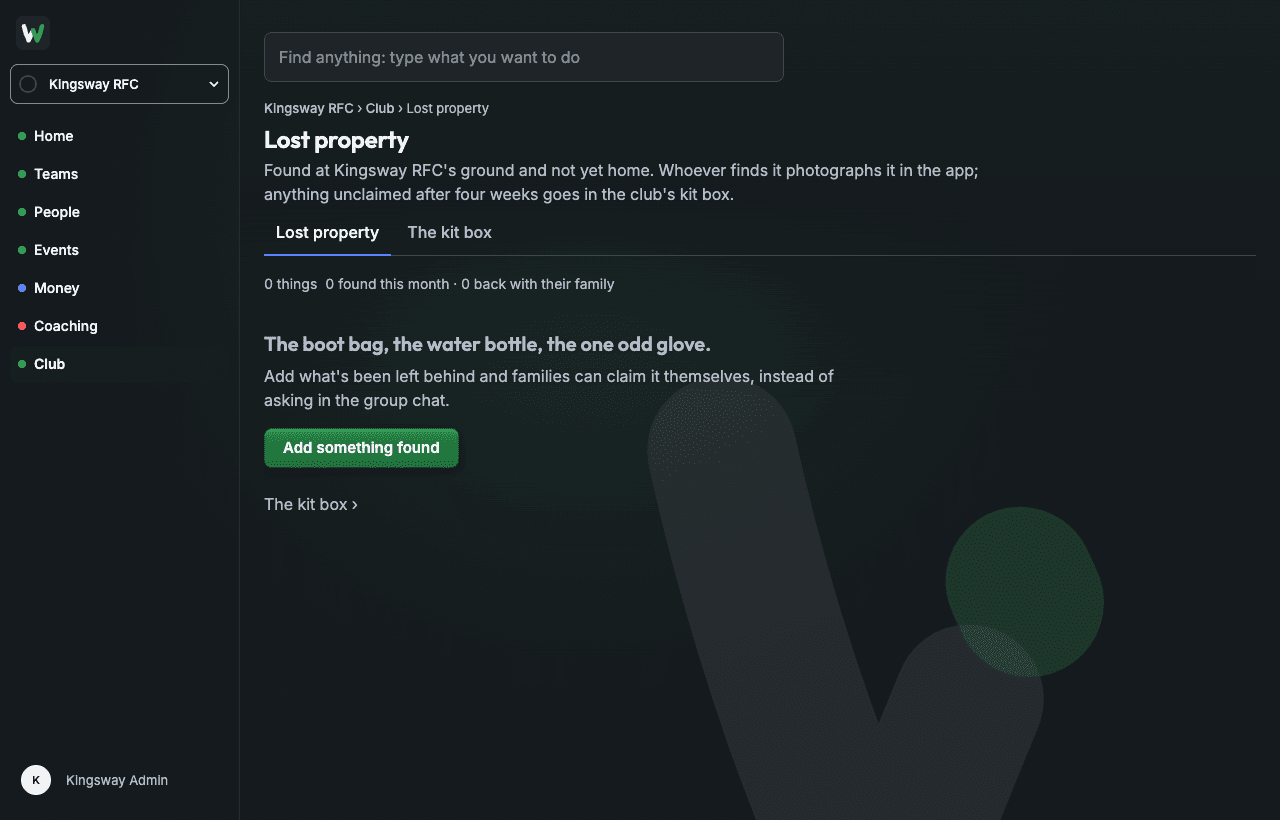
Club › Lost property, on a test club.
- Camera first. A photo, one line, where it was found. Under fifteen seconds, standing on the touchline.
- No referee. Two families who both claim a hoodie sort it out on Sunday; the app just remembers who said what.
- The tea hut too. A till a volunteer can work on their first Saturday: one role, one screen, nothing else in it.
Your club's own website
A website that keeps itself up to date.
Switch it on in the portal and your club has a website built from what's already in Whole Team: your crest and colours, your teams, your fixtures, results for Under 12s and above where you turn them on, your news, how to join and where to find you. Nobody has to keep it up to date, because nothing is typed twice. There's no charge for it.
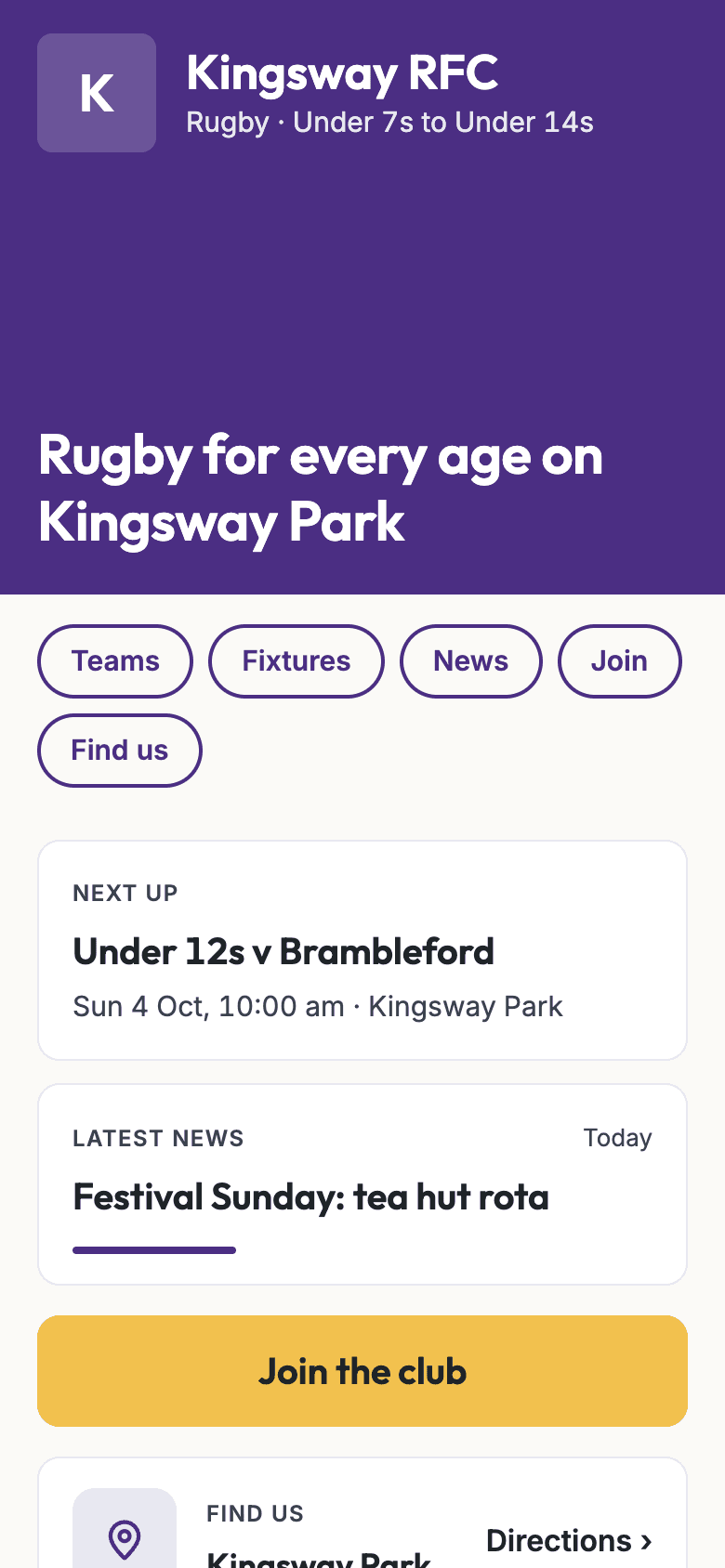
A made-up club's site, as a phone shows it.
- It builds itself. The fixtures are the fixtures you already keep. Add a team, a match or a post and the site has it.
- You publish it. Preview it for as long as you like; nothing is public until you press Publish, and Unpublish takes it down again.
- News, once. Write a post and it goes on the website and to your members.
- Five styles. Club colours, Matchday, Paper, Under the lights or Classic, each previewed on your own club's page before you use it, under Club › Website › Style.
- Your colours, readable. The crest's own colours as swatches, a colour wheel and a hex box, with the contrast shown in numbers. A colour too light for white text is used for edges instead.
- A page for every event. What's on links to each one, with a card that shows when the link is shared. An event with a match fee or an entry fee shows its price.
- Safe by default. No child is ever named, no results for teams below Under 12s, and a photo only when a club admin chooses it, never with a face left clear.
Questions
- How long does it take to set up?
- About ten minutes: your club, a first team, your role, two invites and a first event. Families join when they sign in with the email you invited, or ask to join from your link.
- Can we bring our existing lists across?
- Yes. Download the template, fill in guardian name, email, team and child, and upload it. Each family gets one invite; children are added only when their guardian confirms them.
- Do parents need to install anything?
- They can use the app on their phone or the portal in a browser. Children under 13 never have a login; a parent answers for them.
- Who can see a child's details?
- Other parents see a child's first name and initial and nothing else. Contacts, notes and stand-downs are limited to the child's guardians, the team's coaches and the club's safeguarding officer.
- Can we have a club website?
- Yes, at no charge. Switch it on under Club › Website and the site builds itself from your crest and colours, your teams, your fixtures, your news, how to join and where you play; you preview it, then publish. It lives at wholeteam.co.uk/c/ and your club's name. Use your own address, like www.yourclub.co.uk.
- What does it cost the club?
- Nothing to use it. We're paid 1% of each payment made through the app, capped at £5 and nothing on payments under £3, shown as its own line to whoever pays.
- How can families pay?
- By card or Pay by Bank, through the club's own Stripe account, and by Direct Debit through the club's own GoCardless account. SumUp and Square come later; the treasurer's page says which is on, and you can ask to be told when one is ready.
The short guide to Whole Team
Five emails over a month: what it does, what a Saturday looks like, and how to set a club up. One click stops them, and we never pass your address to anybody.