


The coach rota
Every event can say who is coaching it: a lead coach, anyone assisting, and who has the kit. Only people who hold the Coach or Manager role on the team can be named, and only a manager can be down for kit. An event with no lead shows "No coach yet", and club admins see it in their digest in the week before.
Choose who is coaching
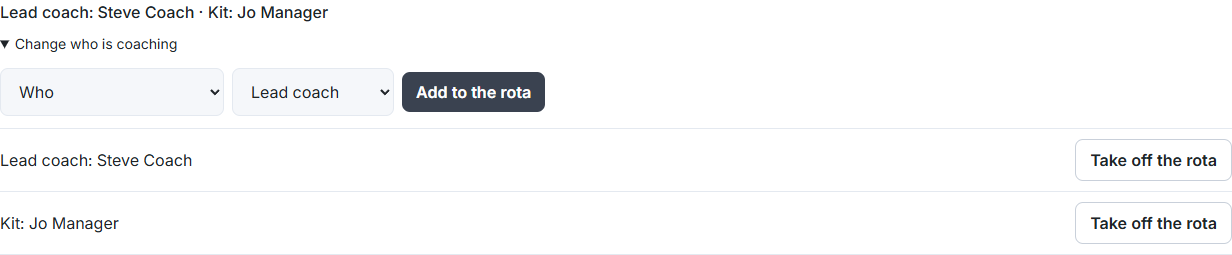
- Open the event. Under the title, the rota line says who is coaching, or "No coach yet".
- Choose Choose who is coaching (or Change who is coaching).
- Under Who, choose a coach or manager. The list shows only the team's coaches and managers, with their role.
- Choose Lead coach, Assisting or Kit (managers), then Add to the rota.
- To take someone off, choose Take off the rota beside them.
See the rota across the week
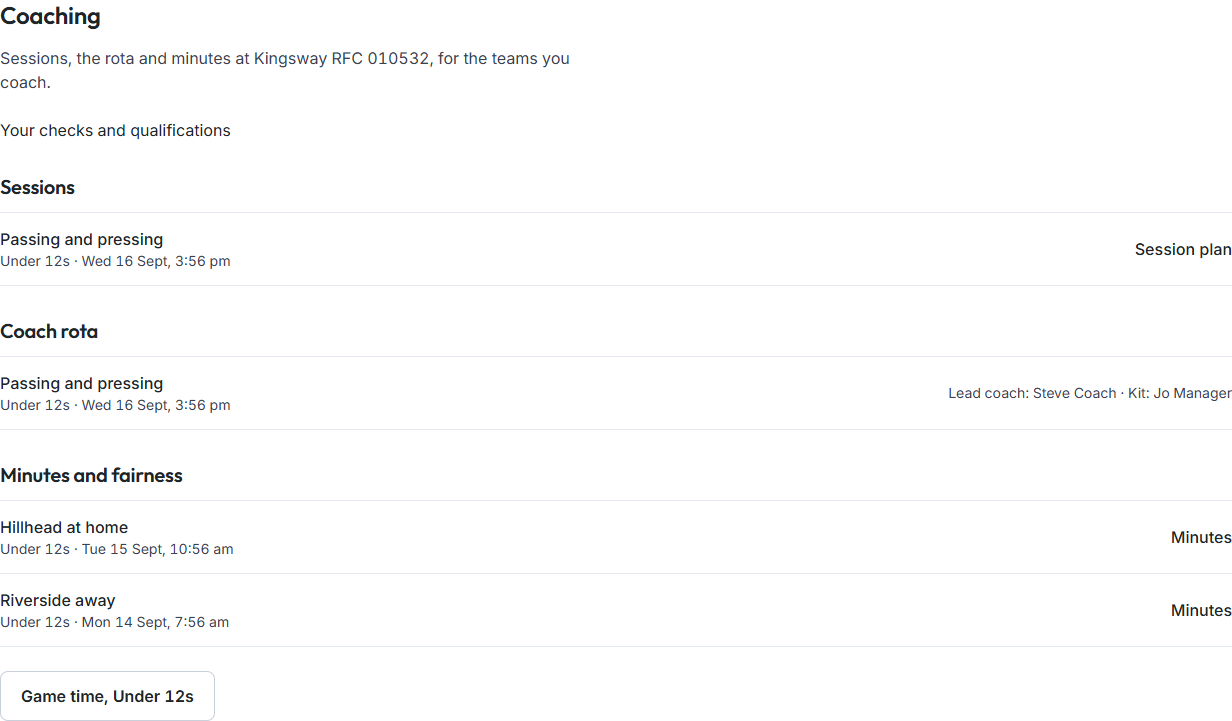
Choose Coach in the rail on the left, then Coach rota. It lists the events in the next 2 weeks for the teams where you manage events, with who is coaching each.
Good to know
- There is one lead at a time. Naming a new lead ends the old one; nobody's history is removed.
- A parent can't be put on the rota, even by a club admin. It's refused with "Only the team's coaches and managers can be on the rota."
- A coach's home page shows Coaching this week with the events they're on the rota for.