Competitions: tournaments, entries, leagues and results
Club admins and organisers create competitions; coaches and admins enter their teams; results are entered by the organiser or the people they nominate. In the menu, under Cup, choose Competitions.
Create a competition
- Choose Create a competition.
- Choose who Run by, a Name, and the Kind:
- Tournament: teams from any club enter, and you run the draw.
- League: your own team's fixtures, typed or pasted, with a table.
- Choose the Sport, Age band and, for a tournament, the Format: round robin; groups, then knockout; straight knockout; or pools, then cup, plate and bowl.
- Add dates, a venue, an entry fee and when entries close if you want them. For a league, choose Your team.
- Tick Open entries now to let clubs enter straight away, then choose Create.
Paying entry fees in the app isn't built yet; the fee is shown so clubs know it.
Entries: what the organiser sees
The competition page lists each entry's club, team and number of players, for example "Walk Rovers FC Under 10s 8 players". Organisers never see players' names. Choose Lock entries to stop changes, or Open entries when it's ready.
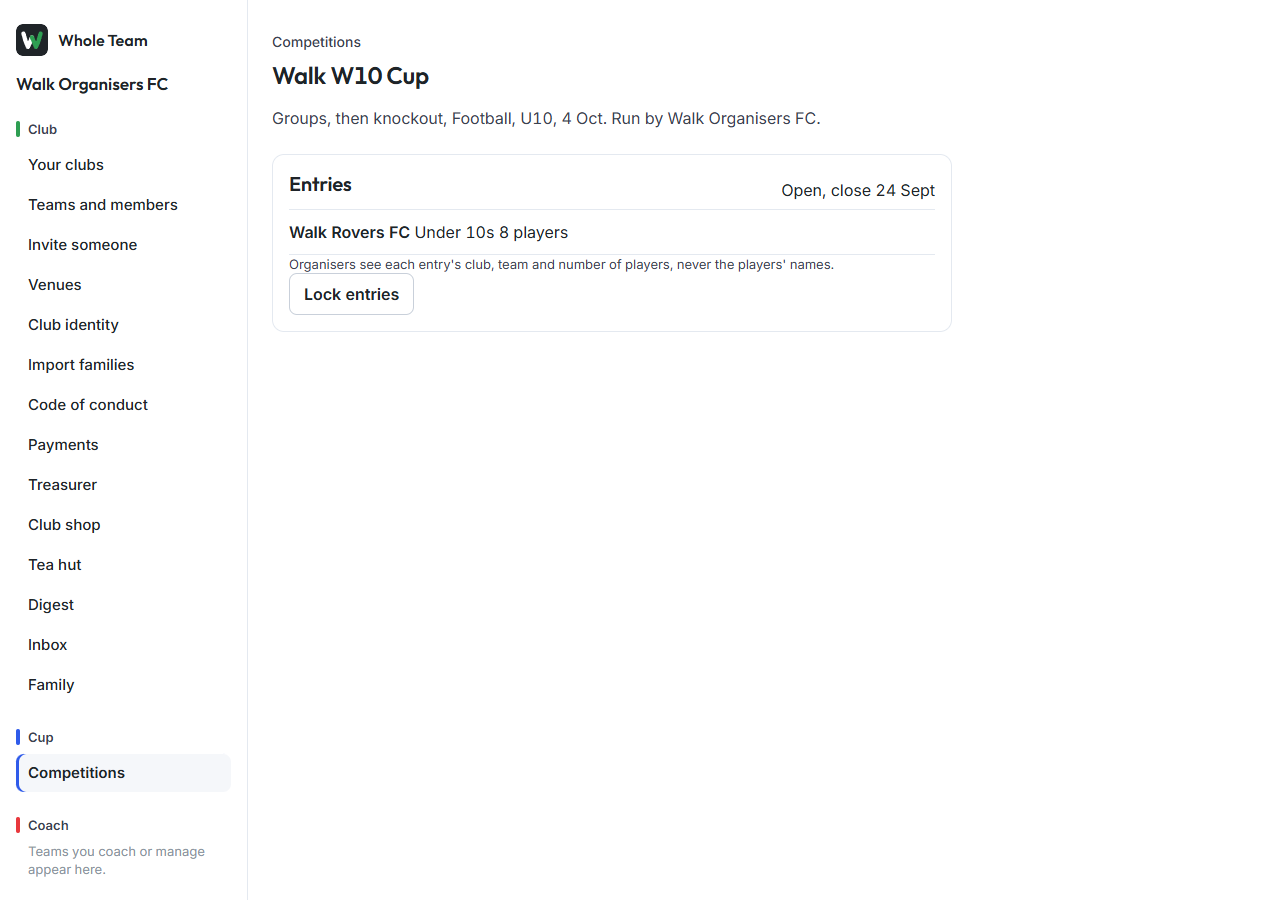
Enter a squad
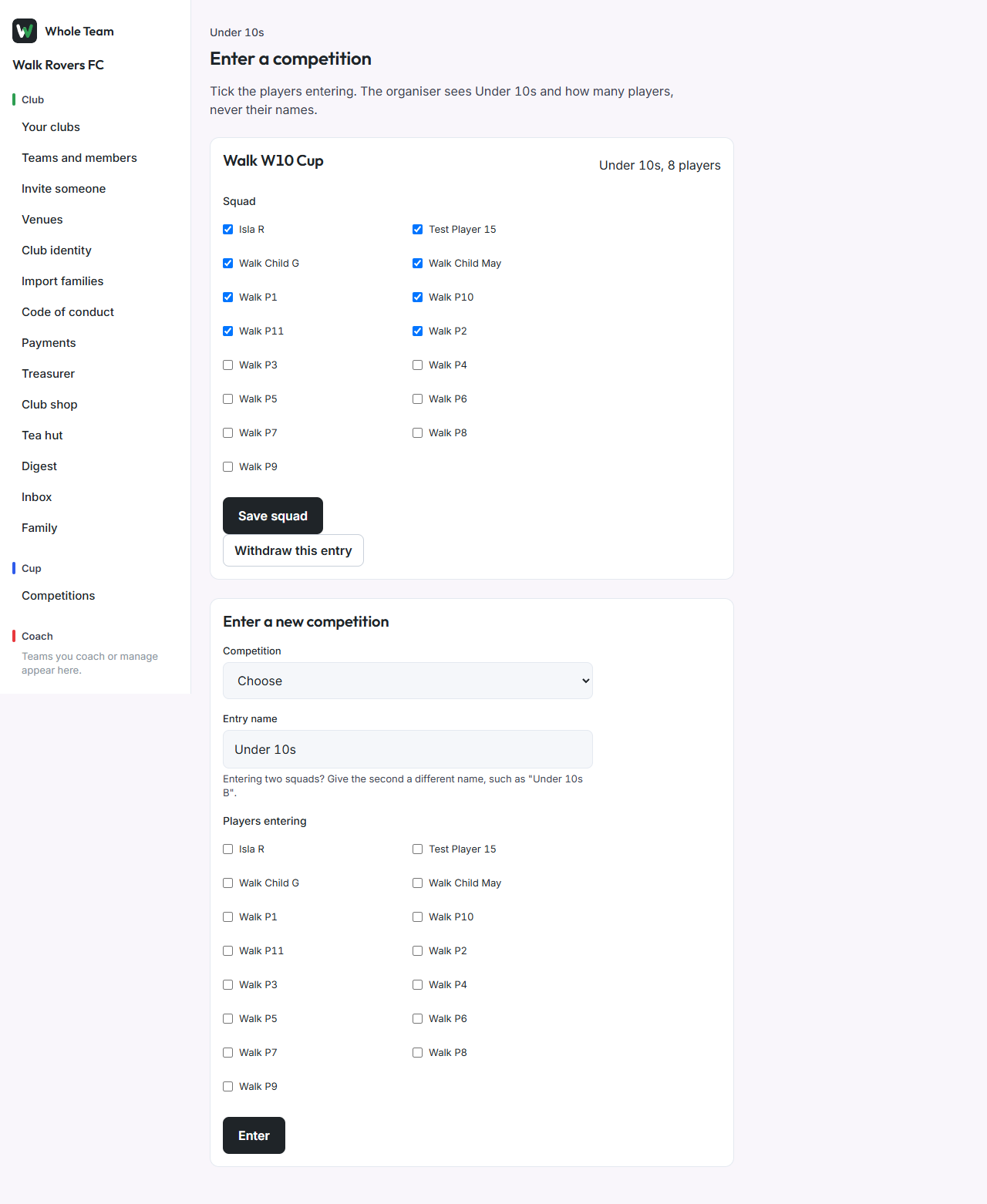
- Open the team and choose Enter a competition.
- Choose the Competition. Give the entry a name if the team is entering more than one squad.
- Tick the players entering and choose Enter.
While entries are open you can change the squad and choose Save squad, or Withdraw this entry. Once entries close or the organiser locks them, ask the organiser. Only the team's coaches, managers and club admins can enter.
Run a league
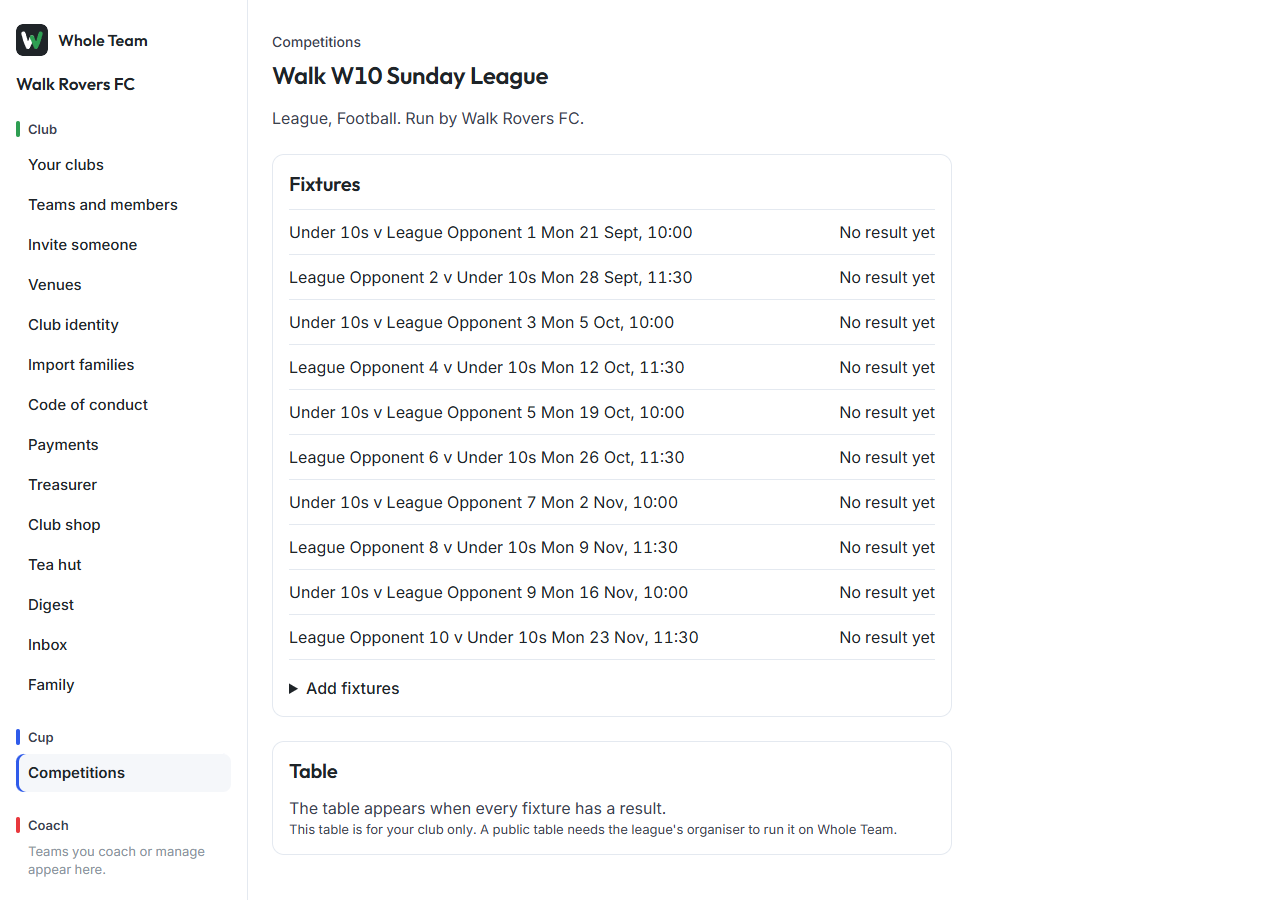
- Create a competition of kind League and choose your team.
- On its page choose Add fixtures and paste one fixture a line: home, away, date, time, venue. Write your team as its name or "us", for example
Under 10s, City Colts, 2026-10-03, 10:30, Home pitch 2. - Choose Add fixtures. Each one becomes a match in your team's calendar.
Opponents that are clubs on Whole Team are linked by name; others stay a name. The table appears once every fixture has a result, and is for your club only.
Enter results
- On the competition page, choose Enter result under a fixture (or Correct to change one).
- Enter both scores and choose Save result.
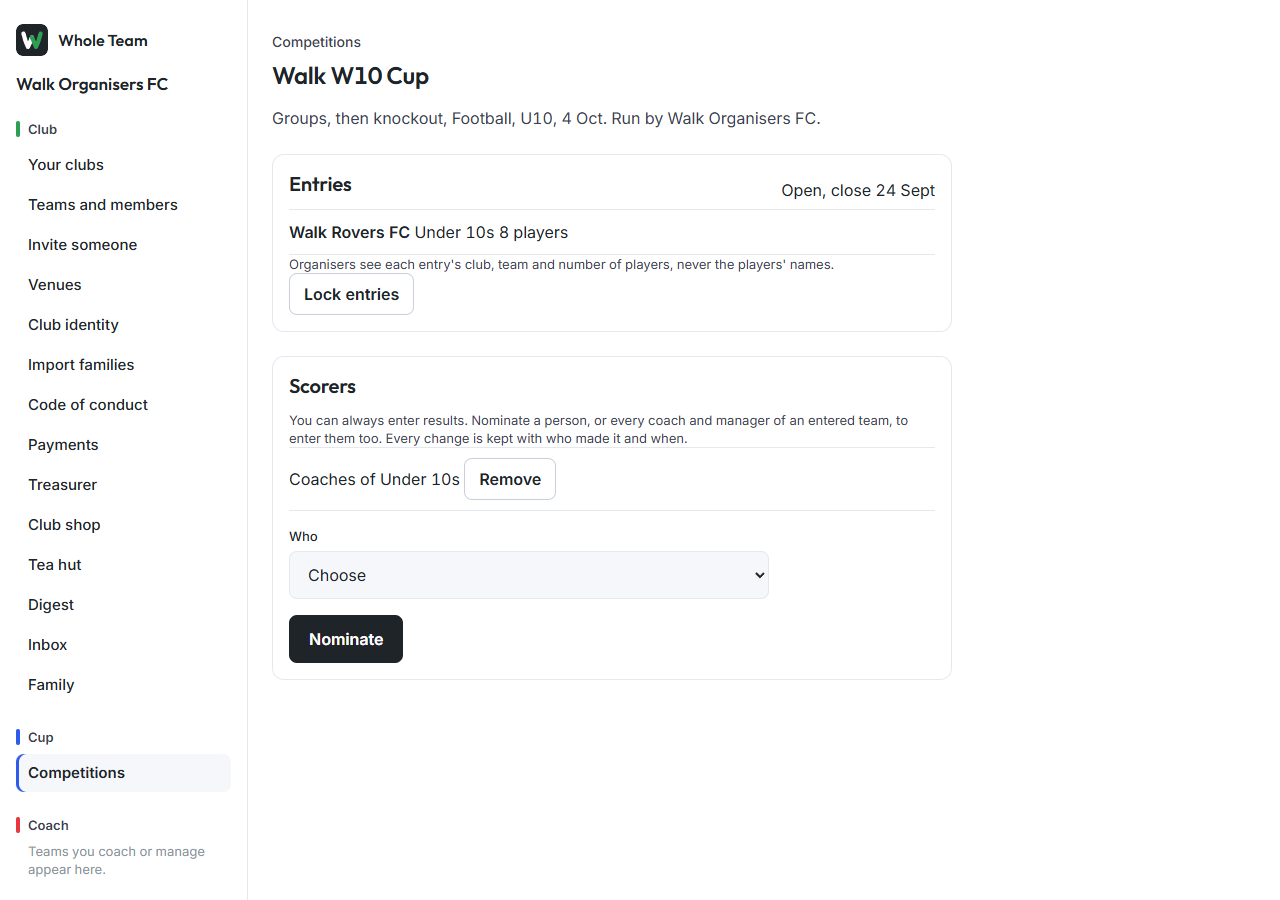
Who can: the organiser, anyone they nominate, and in a club's own league the team's coaches and admins. A result your club entered shows "entered by" and the name. Every change is kept with who made it and when.
To nominate scorers on a tournament, under Scorers choose a person from your club, or Coaches of an entered team, and choose Nominate.
Good to know
- Tournament fixtures, the draw and publishing arrive next; until then a tournament collects entries.
- Nothing is deleted: a withdrawn entry stays listed as withdrawn.