Your daily digest
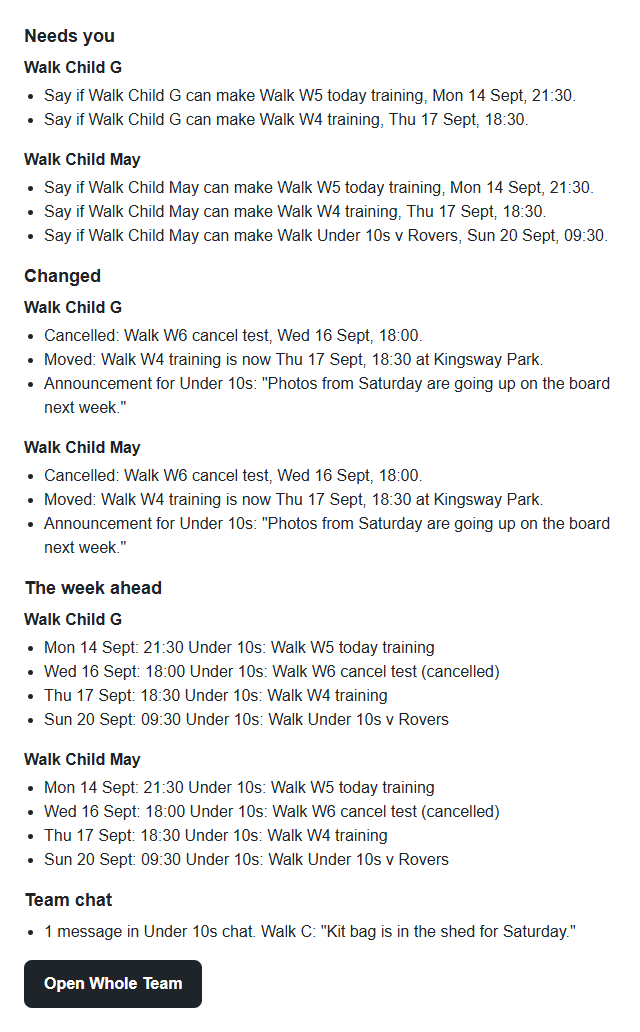
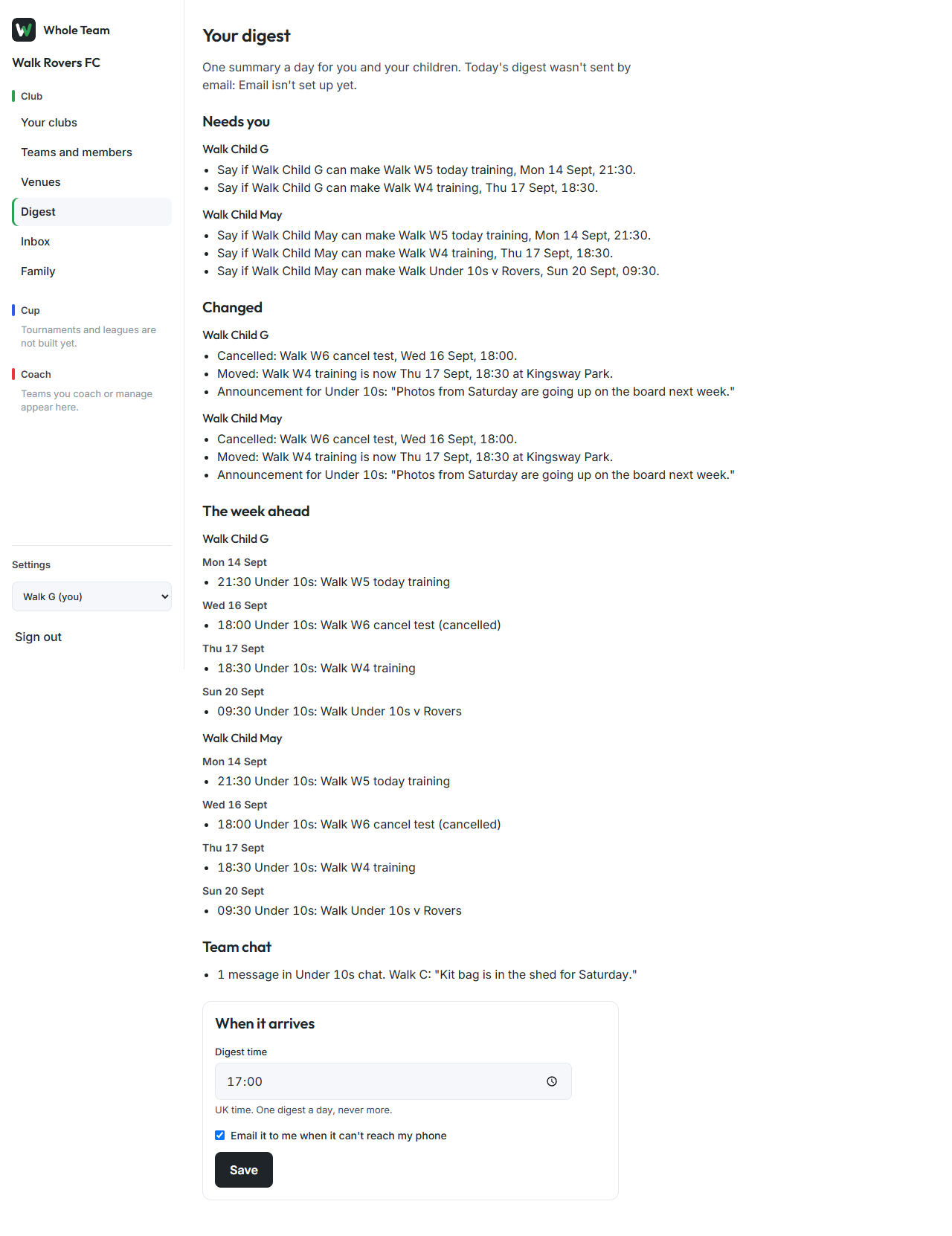
Everyone gets one summary a day, covering themselves and every child they look after. It lists what needs you, what changed, the week ahead and what happened in team chat, grouped by child. It arrives once a day at the time you choose, 6 pm unless you change it. On a quiet day nothing is sent, but the digest screen still shows the week ahead.
Read it
- In the menu, choose Digest.
- The top line says whether today's digest has gone, and how: to your phone, by email, or not at all on a quiet day.
- The sections, in order:
- Needs you: events where you or your child haven't said whether you can make it.
- Changed: events cancelled or moved, a child selected or on standby, and new announcements.
- The week ahead: each day's events for you and each child.
- Team chat: how many messages each team chat had, with the latest from a coach.
- Your teams (coaches and managers): a team where fewer than 6 in 10 families are using Whole Team after a week, with a link to share the invite again.
Change when it arrives
- Under When it arrives, choose a Digest time (UK time).
- Tick Email it to me when it can't reach my phone if you want the email when the app can't reach you.
- Choose Save.
The email
The email carries the same sections as the screen, with one button to open Whole Team. It has no pictures and no tracking. It is only sent instead of a phone notification, never as a second message.