


Overriding a rule
A club can set its own value for one line of a rules card, for example a lower limit on minutes agreed with the local league. The card then shows the club's value, marked differs from the governing body, with the club's reason and the body's own value beneath. Every member who sees the card sees all three, so nobody follows a number without knowing where it comes from. Only club admins can set or end a club's value.
Set the club's value
- Choose Coach in the rail on the left, then Rules and Play safe. Or open a team: its card is on the team page.
- Under the line you want to change, choose Override.
- The body's value is shown first, for example "Scottish Rugby: 90 min".
- Enter The club's value, for example "80 min", and the Reason, for example "Agreed with the local league for festival days". The reason is required.
- Choose Save the club's value.
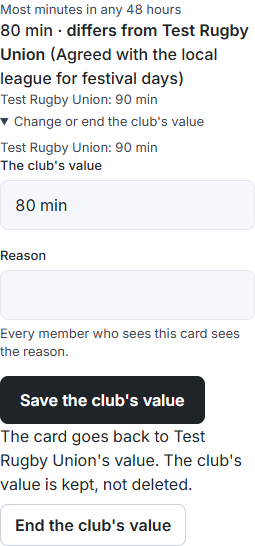
The card now reads "80 min · differs from Scottish Rugby (Agreed with the local league for festival days)", with "Scottish Rugby: 90 min" beneath.
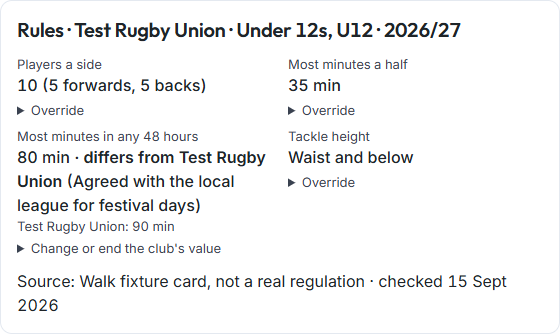
Change or end it
- Under the line, choose Change or end the club's value.
- To change it, enter the new value and reason and choose Save the club's value. The old value is kept.
- To go back to the body's value, choose End the club's value. The card shows the body's value again.
Good to know
- A club's value is never deleted. Ending it or replacing it keeps a record of what it was, why, and when.
- The pictures on this page use a test card, not a real regulation.
- The minutes sheet's 48-hour warning still uses the governing body's limit.