Paying the club
When the club asks for subs, what you owe shows for each child, and for you if you play. You pay by card in the app, and the money goes straight to the club.
See what you owe
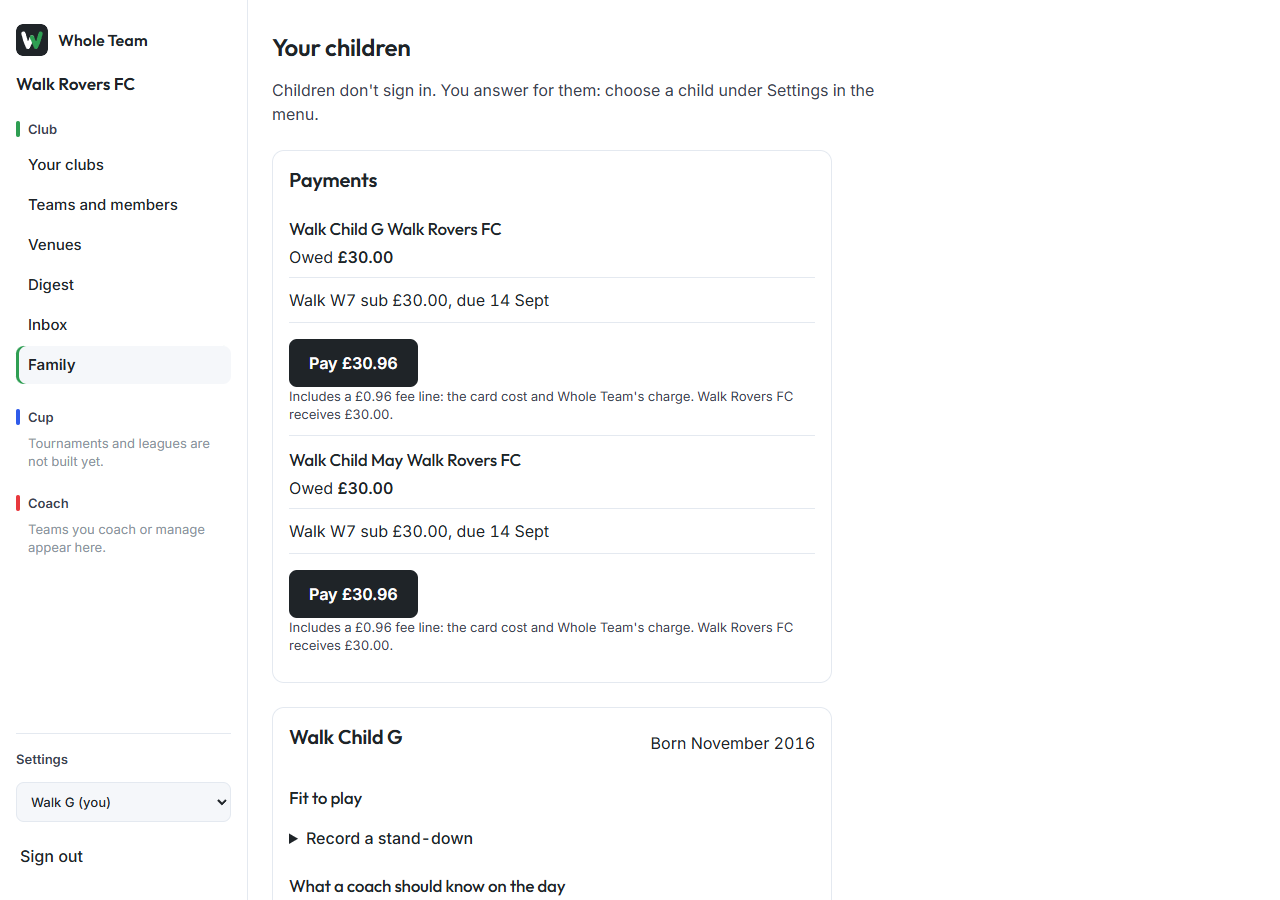
- In the menu, choose Family, or open the club from Your clubs.
- Under Payments, each child shows Owed and what it is for, with its due date.
- Match and training fees build up as "from N sessions so far" and become one amount to pay at the end of the month.
Pay
- Choose Pay under the child. The amount on the button is what you will be charged.
- If the club asks parents to pay the fee, the line underneath shows it: the card cost and Whole Team's charge.
- Stripe opens its payment page. Enter your card and pay.
- You come back to Whole Team. It says Stripe is confirming the payment; once it has, the charge shows Paid.
Stripe emails you a receipt. Either guardian can pay, and both see Paid.
Good to know
- If the club can't take card payments in the app yet, the page says so. Pay the club the way you usually do.
- If someone else is already paying the same charge, you'll be asked to check back in a few minutes.
- Your digest says "Payment due" each day until it's paid, and has one line when a payment goes through.
- If it's a week overdue you get one message on your phone. If the treasurer sends a reminder, your digest says who sent it.