The public competition page
When you publish a tournament it gets a public page that anyone can open without signing in: families on the touchline, grandparents at home, clubs that didn't enter. Share its link however you like.
Finding the link
Open the competition. Once it's published, the Fixtures card says Published, public page. The page's address is app.wholeteam.co.uk/s/ followed by the competition's short name, for example /s/spring-u10-festival.
What it shows
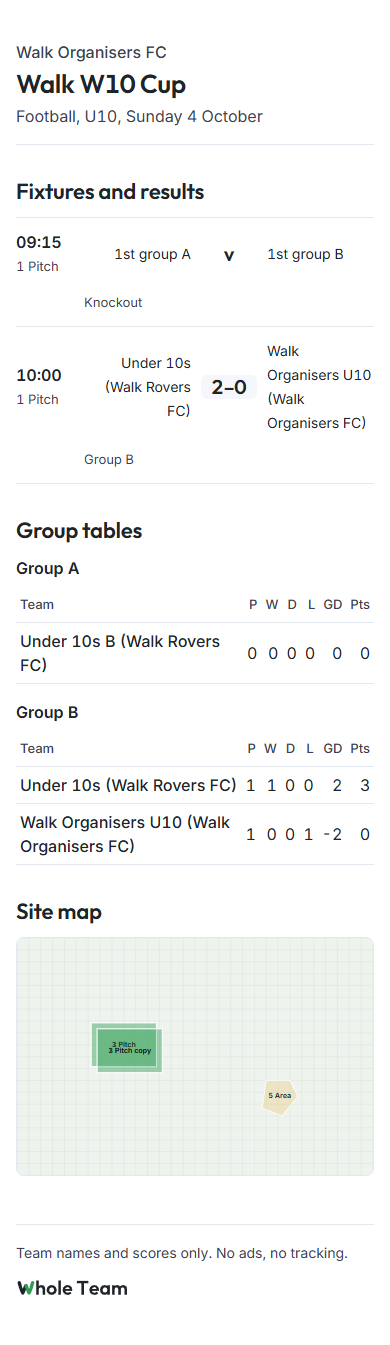
- The organiser's name, the competition, the sport, the age band and the date.
- Fixtures and results by day: time, pitch, both teams and the score. A game that hasn't got its teams yet shows where they come from, such as "1st group A v 1st group B".
- Group tables: played, won, drawn, lost, goal difference and points (3 for a win, 1 for a draw).
- The Site map, if you drew one.
- If a club runs the competition, the club's colour across the top.
Scores update on their own while the page is open, usually within a second of a scorer sending them. A Live marker shows next to a game while it's being played.
What it never shows
Team names and scores only. Never a child's name, never a squad list, never a photo. No ads, no tracking, no cookie banner, because there are no cookies to ask about.