Who was there: the register
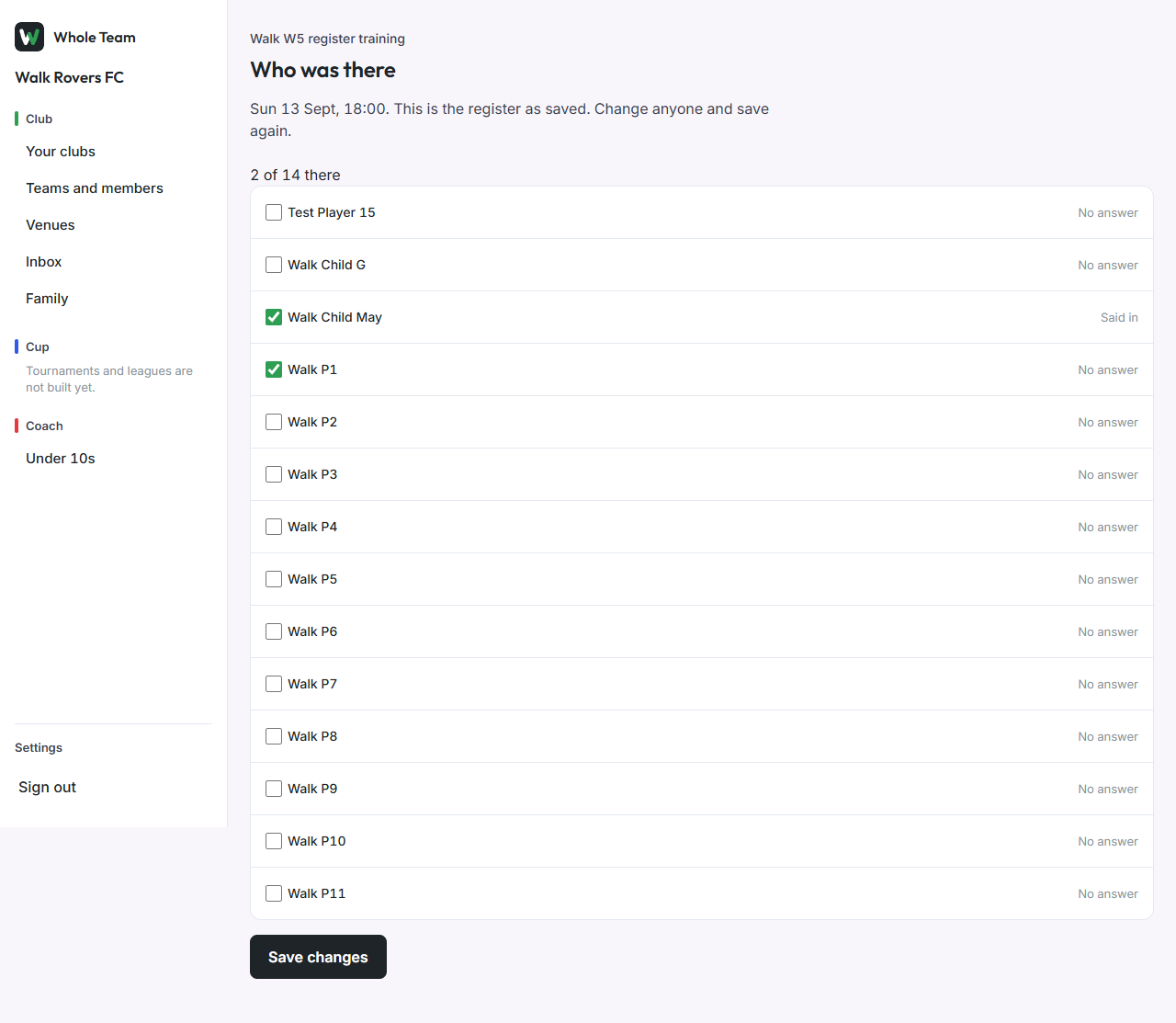
After an event starts, the team's coaches and club admins mark who actually came. Everyone who said In is already ticked, so you only change the exceptions. The register is kept apart from availability.
Mark the register
- Open the event. Once it has started, choose Who was there.
- Players who said In are ticked; standbys and everyone else are not. Each row shows what the player said.
- Tick anyone who came without saying In, and untick anyone who said In but didn't come. The count updates as you go.
- Choose Save register. The page shows "Register saved."
Come back to it any time: it opens as saved, and Save changes updates it.
Good to know
- Before the start time the page says when the register opens.
- Managers can't mark the register: it goes with picking the team, which is for coaches and club admins.