Running a tournament: the draw, the schedule and publishing
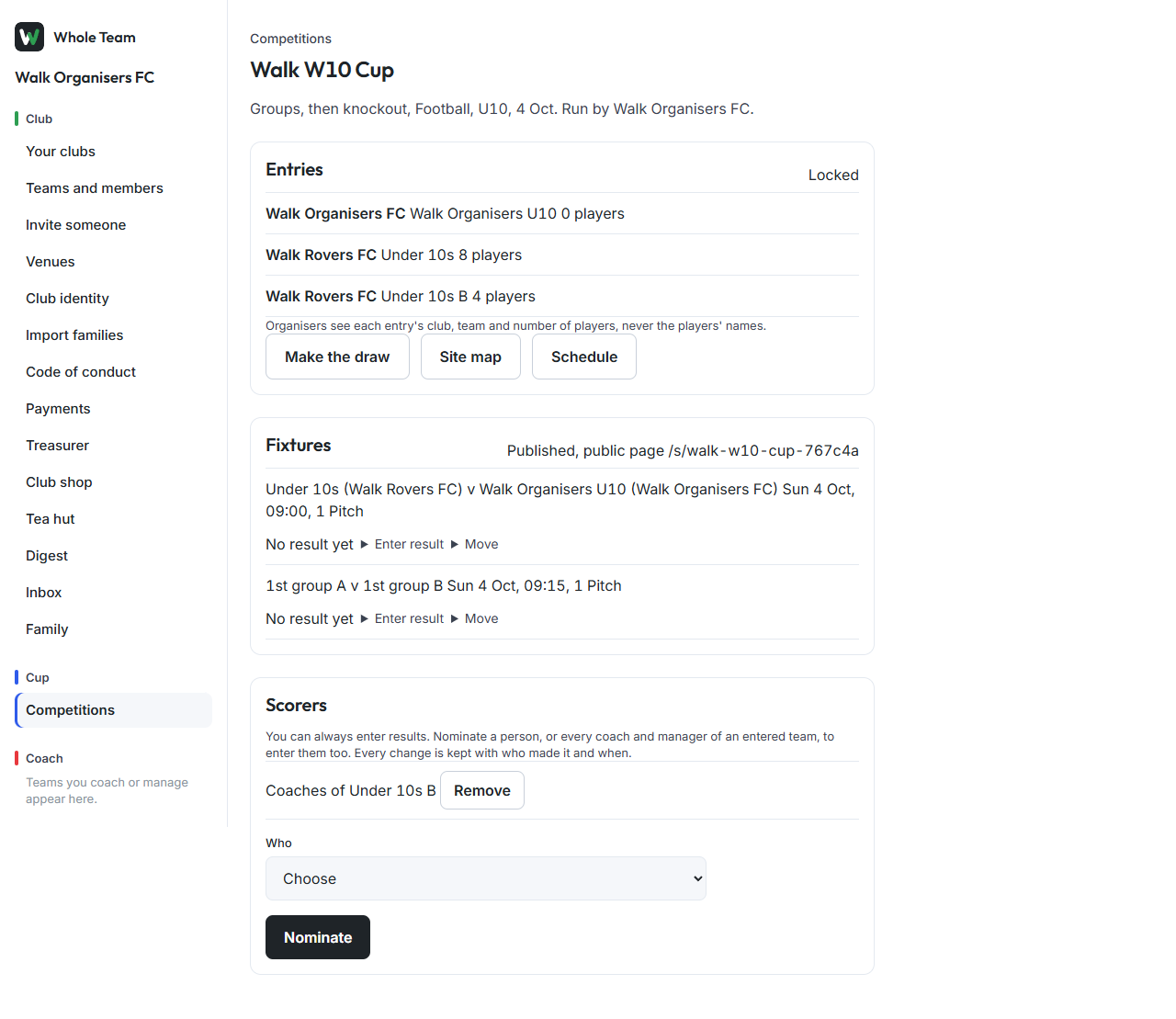
Once entries are in, the organiser makes the draw, schedules the games and publishes. Nothing reaches clubs or the public until you publish. Open the competition and use Make the draw, Site map and Schedule.
Make the draw
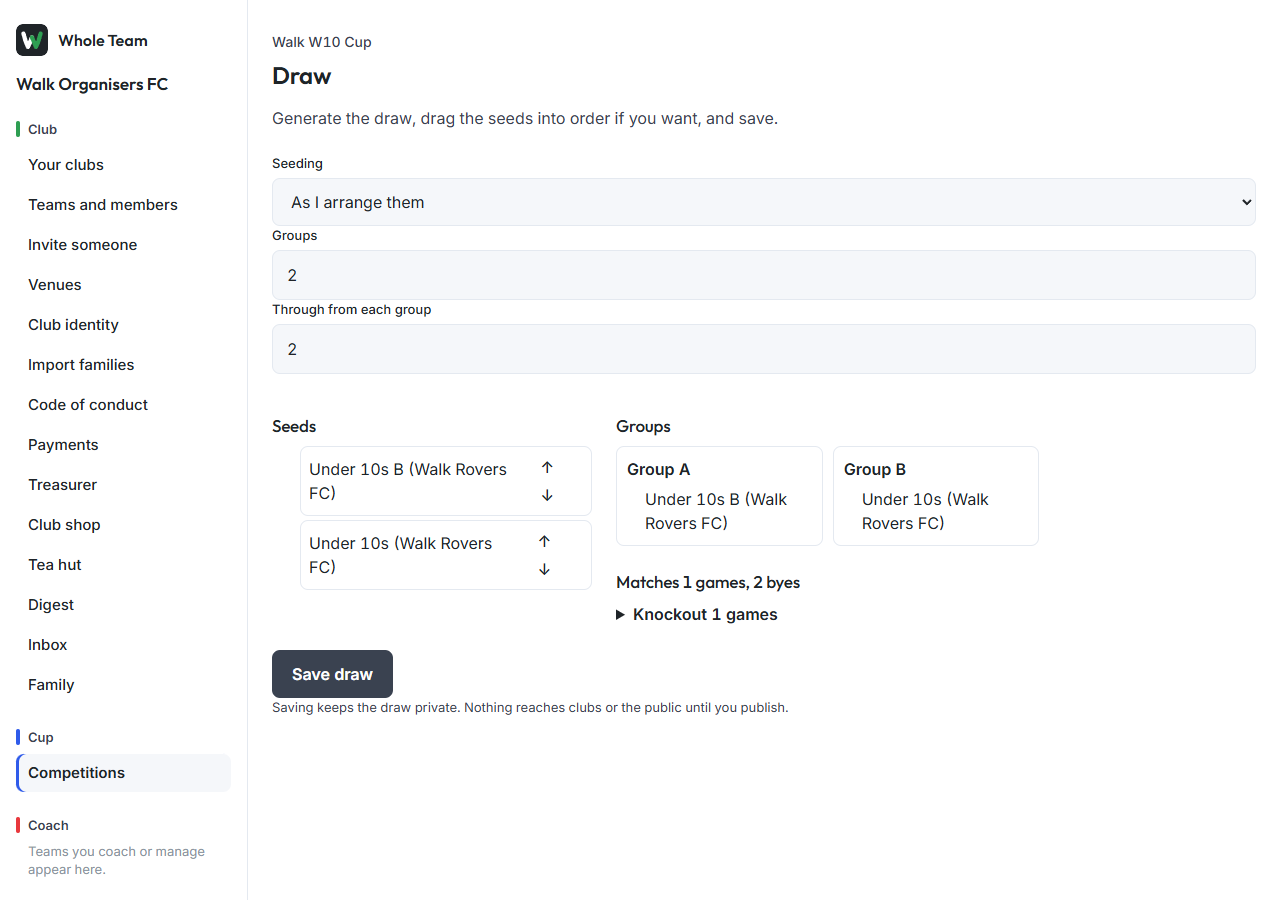
- Choose Make the draw. Entries are listed as team and club.
- Choose the Seeding: in the order entries came in, random, or as you arrange them.
- Random uses a Random draw number: the same number always gives the same draw.
- To arrange them, drag the seeds or use the arrows. Seeding switches to "as I arrange them".
- For groups or pools, choose how many, and for groups then knockout how many go through from each group.
- The groups and every game appear on the right, with byes where the numbers don't divide evenly.
- Choose Save draw.
Formats: round robin; groups, then knockout; straight knockout; pools, then cup, plate and bowl (pool winners to the cup, second places to the plate, the rest to the bowl).
Schedule the games
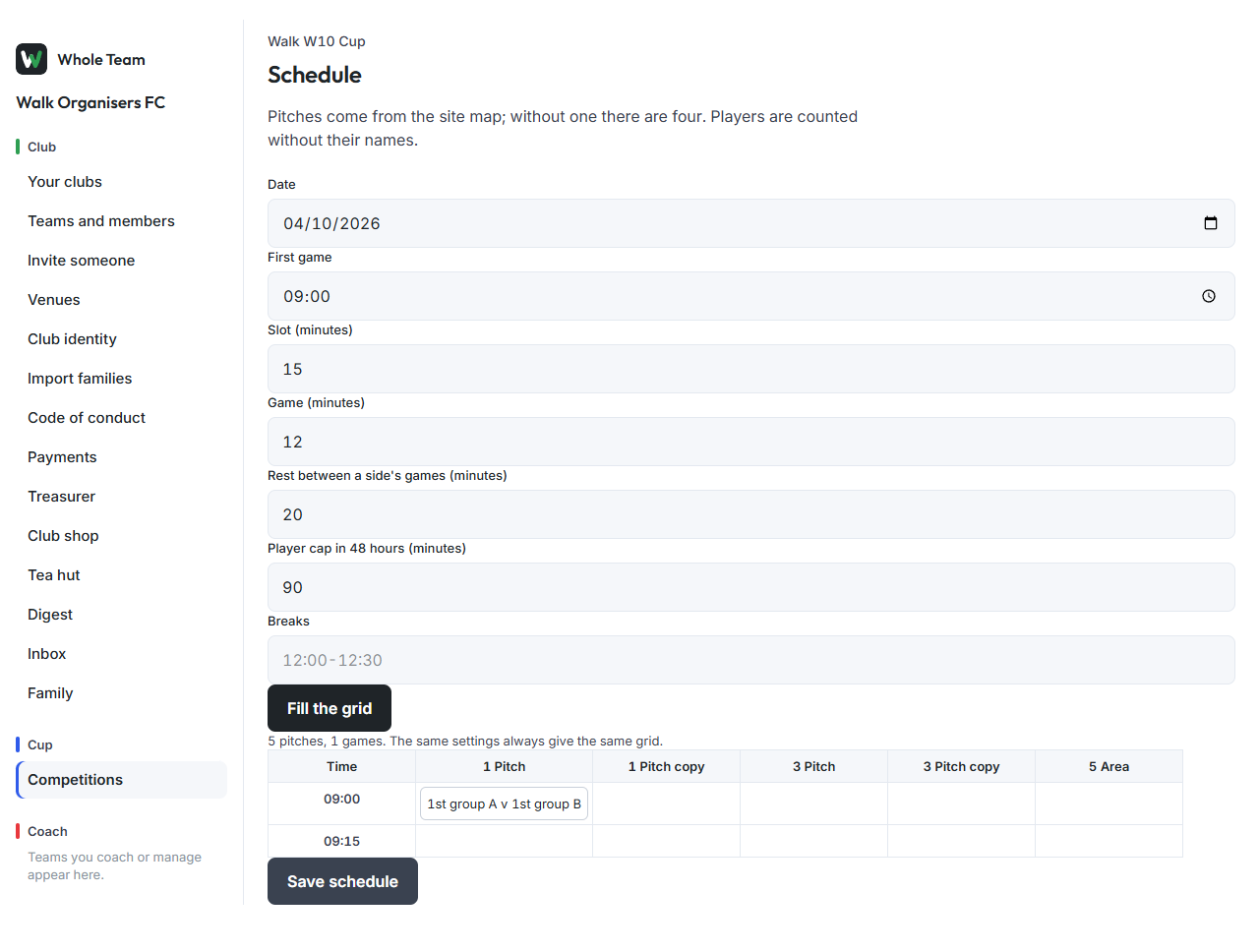
- Choose Schedule. The pitches come from the site map's pitches (four plain pitches if there is no map).
- Set the Date, First game, Slot and Game length, the Rest each side needs between games, the Player cap in 48 hours from the rules card, and any Breaks such as
12:00-12:30. - Choose Fill the grid. The same settings always give the same grid.
- Drag any game to another pitch or time; dropping on another game swaps them. A clash is outlined in ink with the reason, for example two sides that share a coach at the same time, or a side without its rest.
- Games that can't be placed are listed with the reason, such as a player who would go over the game-time cap. Drag them onto the grid or change the settings.
- Choose Save schedule.
The schedule counts players and coaches without names: it knows when the same person is in two squads, never who.
Publish
- On the competition page, under Publish, choose Publish. It is refused while any game is unscheduled or clashing.
- Every game goes into the entered teams' calendars, entries lock, and the competition gets its public page.
Publishing can't be undone. A knockout game whose sides aren't known yet is shown to the organiser only.
Move a game after publishing
- On the competition page, under Fixtures, choose Move under the game.
- Choose the new time and pitch, then Move game.
Both teams' families are told straight away, and nobody else.