

The Club desk
The Club desk is where the people who run the club start: what needs doing, this week's jobs, and the things you set up once. It's in the app. Tap Club desk on Home, or at the top of You.
You get a desk if you have a job at the club: admin, treasurer, safeguarding officer, coach, team manager or tea hut. Each person sees only what their job covers. A coach sees their own teams; the treasurer sees the money; a parent with no club job has no desk.
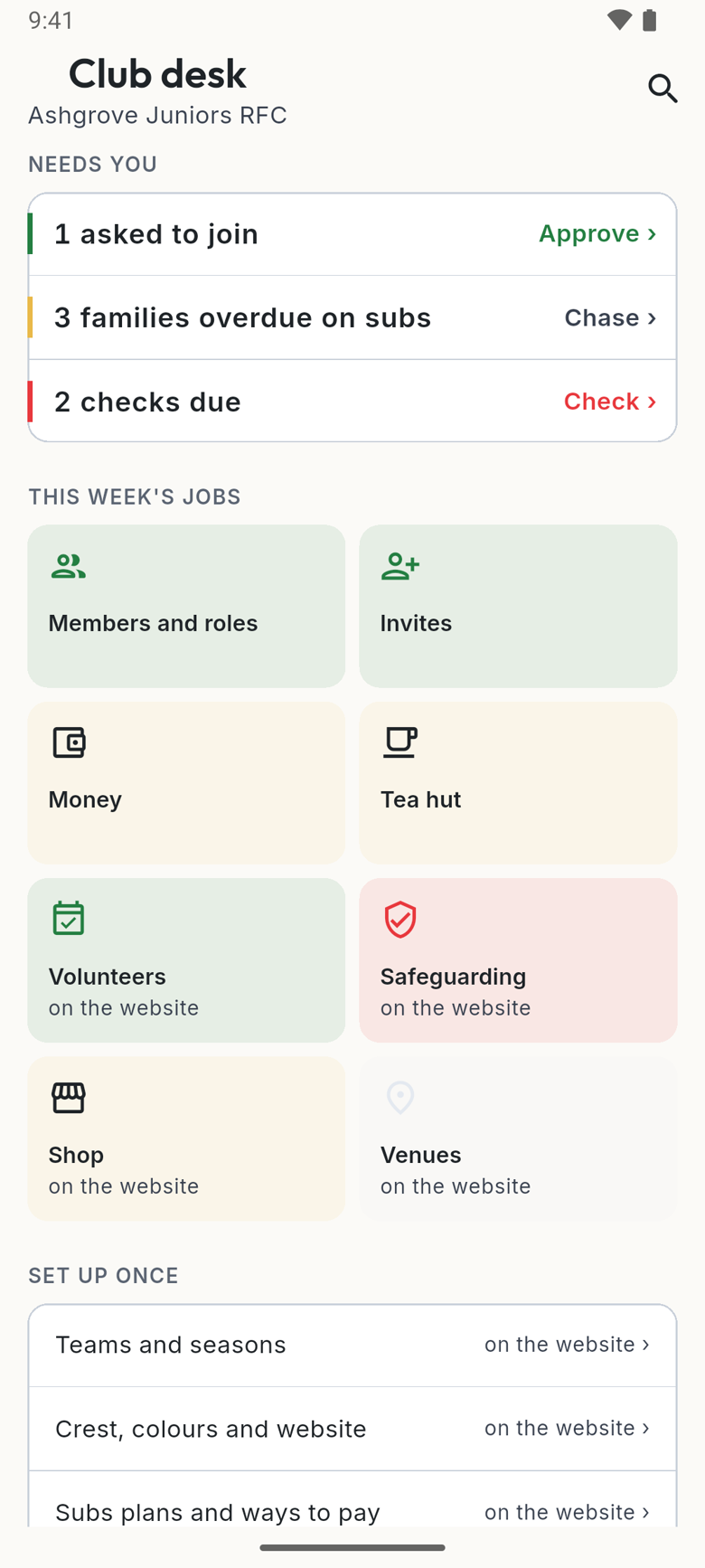
Needs you
The club's loose ends, most urgent first, each with the thing to do beside it. Tap the line and it takes you there. For example:
- "2 families asked to join": Approve ›
- "3 families overdue on subs": Chase ›
- "1 place to fill on the rota": Rota ›
- "2 checks due": Check ›
- "1 tab line a family says isn't theirs": Look ›
- "4 consents not signed for" a tour: Chase ›
The colour down the side says what kind it is: green for people, gold for money, red for safety. When nothing needs you, the section isn't there.
This week's jobs
A tile for each part of the club you look after: Members and roles, Invites, Money, Tea hut, Volunteers, Safeguarding, Kit, Shop, Venues and Competitions. Each one says how it's doing. A tile marked "on the website" opens the club's website inside the app, already signed in; Done brings you back.
Set up once
The things you do at the start of a season and then leave: Teams and seasons, Crest, colours and website, Subs plans and ways to pay, Fundraising and tours, Governing body numbers, and Exports and the books. These open on the website, inside the app, because they're easier on a bigger screen.
Search the desk
The magnifying glass at the top searches everything on your desk. Try "subs", "PVG" or "invites".
More than one club
If you help at two clubs, the Club desk shows one club at a time. To change club, tap the club's name on Home's band, then choose from Your clubs. Your desk, the till and Home all switch to that club, and the phone remembers it.
On the website, the club's name at the top of the side menu does the same: choose the other club from it. On a phone's browser, it's under Menu.
On the website
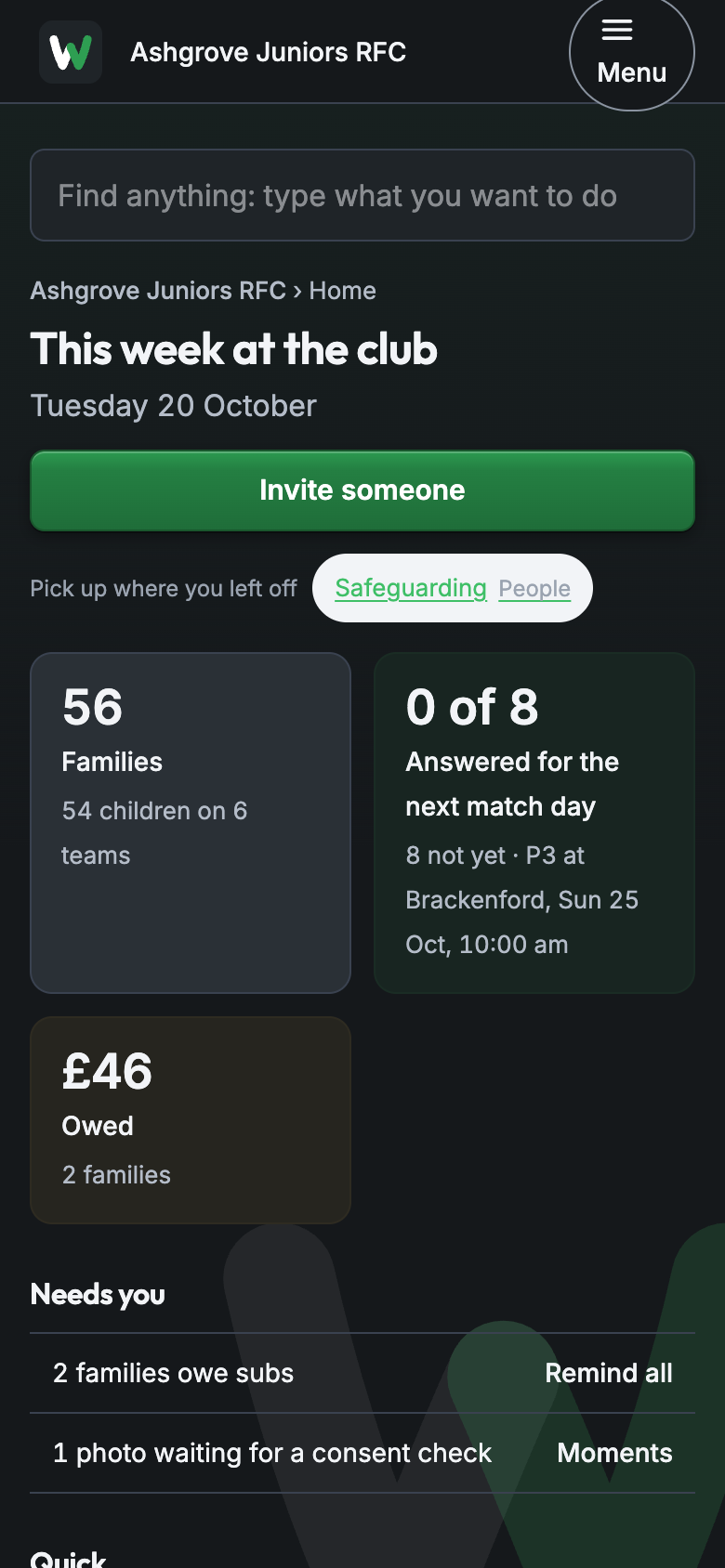
The website's Home, "This week at the club", has the admin's version of Needs you: invites not accepted, subs owed, events with no venue, re-checks due, a team with no coach. Each has its own button.
New to finding your way round? See finding your way around.