The playbook: the club's drill cards
Each club has one playbook, shared by all its teams. It holds the club's own drill cards and a free library of starter cards and cards other clubs have shared. Every card has a one-breath line: what a coach says to 9-year-olds before they run.
Finding a drill
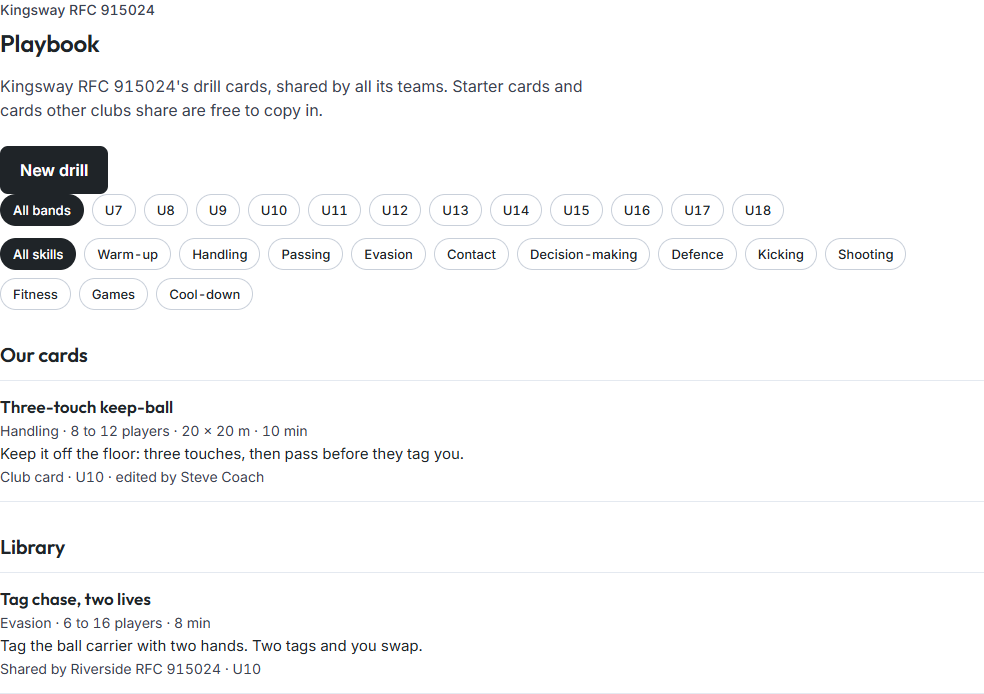
- Open the club and choose Playbook, or choose Playbook under Coach in the menu.
- Filter by age band (for example U10) and by skill area (for example Handling). Choose All bands or All skills to clear a filter.
- Our cards lists the club's cards. Library lists starter cards and shared cards for the club's sport.
Each row shows:
- the title;
- the facts: skill area, players, area and minutes;
- the one-breath line;
- where the card came from, and who last edited it.
A drill card
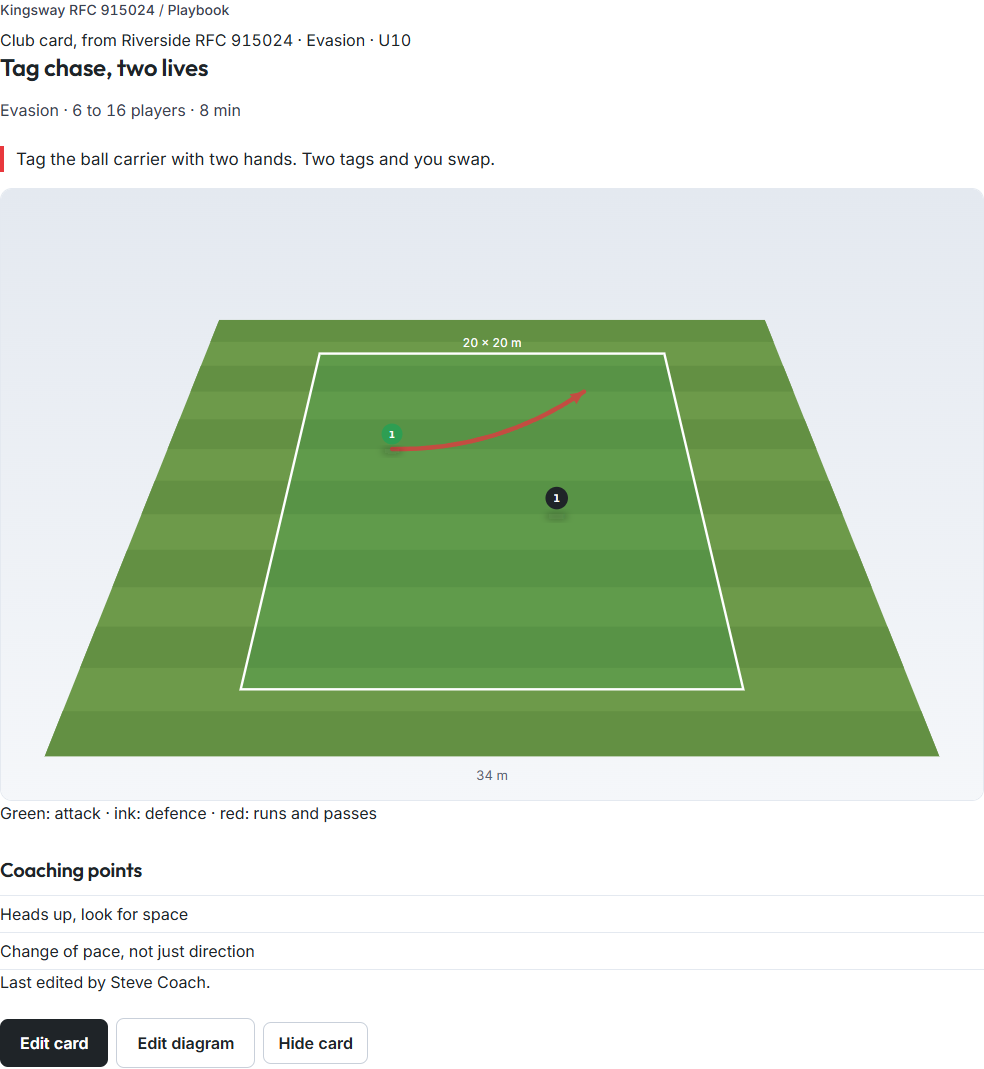
A card shows the title, the facts and equipment, the one-breath line, the diagram, the setup, coaching points and Make it harder.
- The diagram: green is attack, ink is defence, red shows runs and passes.
- A video: it's a link that opens on YouTube, with a credit line saying whose video it is. The card never plays a video or uses a frame from one as its picture.
Copying a card into the club
- Open a starter or shared card from Library.
- Choose Copy to our playbook.
The copy becomes the club's own card, with its diagram, and you can edit it. It keeps the name of the club that shared it ("Club card, from Riverside RFC"). The original is not changed.
Good to know
- Who can change the playbook: only club admins can add, edit, hide or copy cards. Coaches and members can read them.
- Hiding a card: it's kept, not deleted. Choose Show card again to bring it back.
- Putting a drill in a session: coaches see Add to with the next training day on a card. See Building a session.