

Safeguarding checks: PVG, DBS and AccessNI
The register is the club's list of the adults who work with children, coaches, helpers, managers, admins and the safeguarding officer, and their background check: PVG in Scotland, DBS in England and Wales, AccessNI in Northern Ireland. It holds the type of check, its number and its dates. It never holds what a disclosure says.
On the website it's People › Safeguarding. In the app it's on the Club desk, under Safeguarding.
Who sees it
- The safeguarding officer and the club's admins see everyone, and are the only people who can add or end a check.
- Everyone else on the register sees their own check only, as the safeguarding officer recorded it.
- Nobody else sees it: not parents, not other coaches, not the treasurer.
Nobody can delete a check, including the officer. A check can only be ended (below), so the record stays honest.
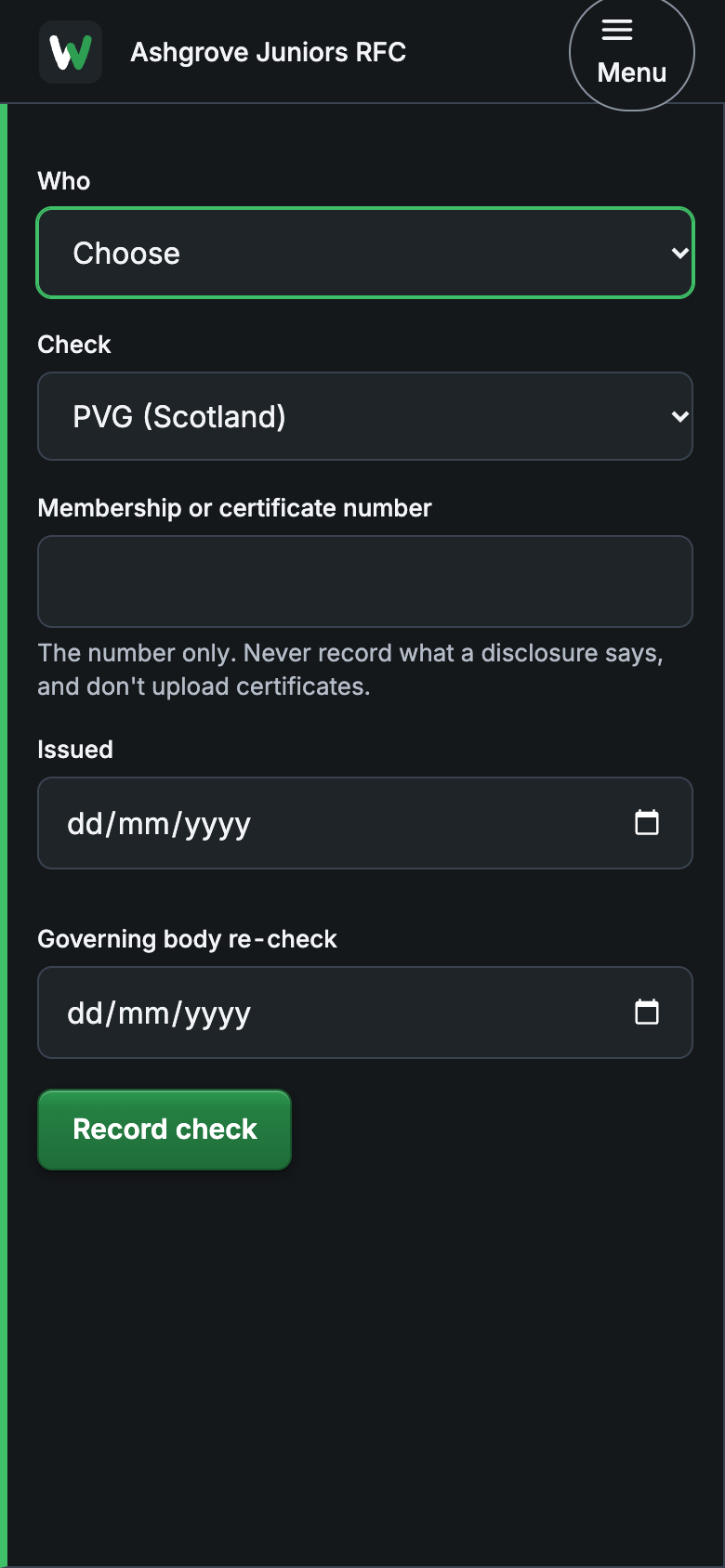
Record a check
- Choose Record a check.
- Who: choose the person. They need to be invited to the club first; if the list is empty, choose Invite someone.
- Check: PVG (Scotland), DBS (England and Wales) or AccessNI (Northern Ireland).
- Membership or certificate number: the number only. Never type what the disclosure says, and don't upload certificates; there's nowhere to put one, on purpose.
- Issued: the date on the check, if you have it.
- Governing body re-check: the date your sport's governing body wants it renewed by.
- Choose Record check.
Your name goes on it as the person who checked it, with the date. Coaching qualifications go in the same place: choose Record a qualification.
Keeping it up to date
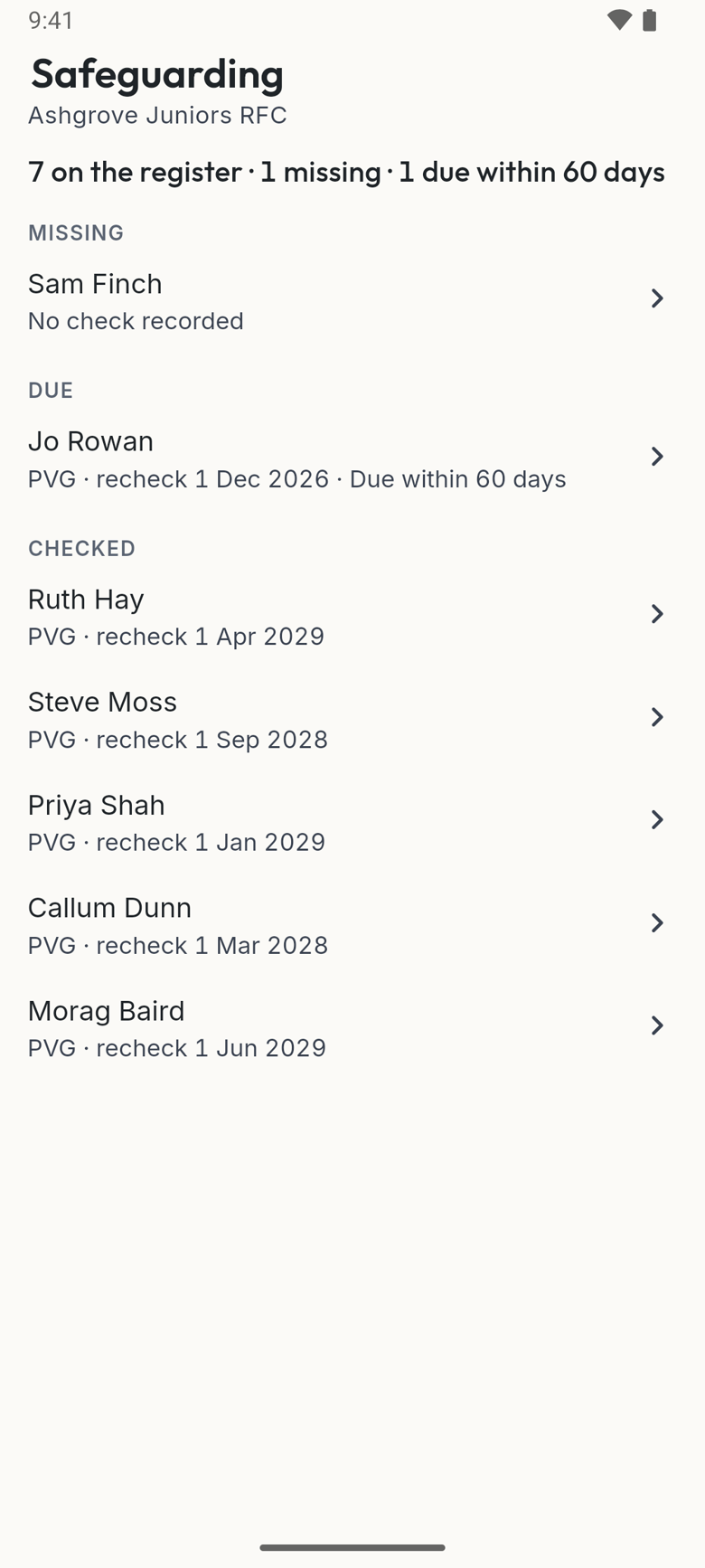
The register sorts itself for you:
- Missing: someone who should have a check and has none recorded.
- Due: a re-check within 60 days, then within 30, then expired.
- Checked: everyone in date.
You'll get a line in your daily email 60 days and again 30 days before anyone's re-check, and the Club desk's Needs you shows how many checks are missing or due. Tap it to go straight to the register.
End a check
When someone stops volunteering, or a check is replaced by a new one, open their name and choose End. The check leaves the register's lists but is kept in the club's records, with who ended it. A person who no longer holds any role at the club shows as "A former coach". Records for people who have left are cleared out after a year.
Good to know
- The club's export includes the register, for your governing body or an audit.
- Who sees what about a child, role by role, is set out on family safety.