


Signing in
Whole Team has no passwords. A password is a secret we'd have to keep for everyone who manages children's details, and the thing most often stolen. Instead you sign in with a code we email you, or with a passkey, and you stay signed in on your own devices, so a treasurer who signs in once a month isn't waiting for an email every time.
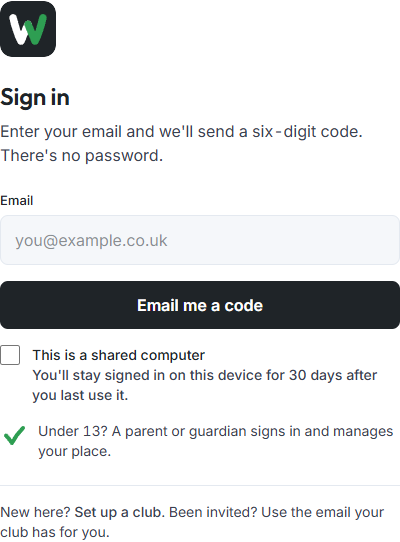
Sign in with a code
- Go to app.wholeteam.co.uk and enter the email address your club has for you.
- Choose Email me a code.
- Type the six-digit code from the email and choose Sign in.
The code always works, whatever else you've set up.
How long you stay signed in
On a computer or phone you've used before, you stay signed in for 30 days after you last use it, and it renews by itself. If you don't open Whole Team for 30 days, you're asked for a code again.
On a computer other people use, at a library or a club house, tick This is a shared computer before you sign in. You're signed out as soon as the browser closes.
Passkeys
A passkey lets your device sign you in with the lock you already use on it: Face ID, Touch ID, Windows Hello or a security key. Nothing is emailed and there's nothing to type.
- Sign in with a code on the device.
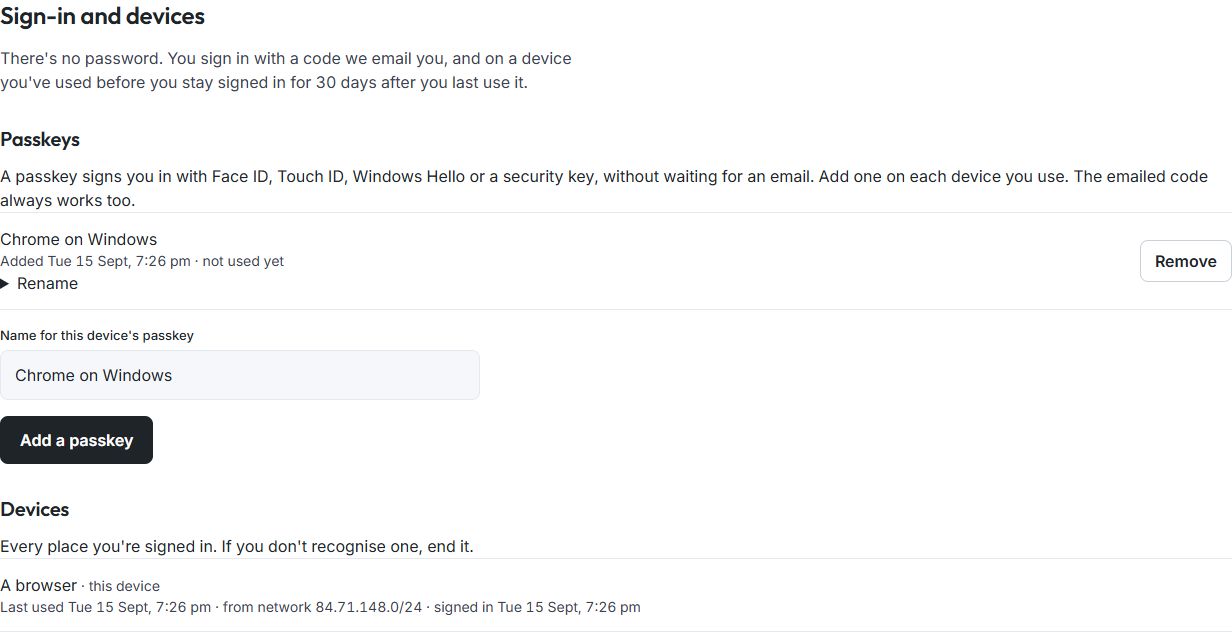
- Open your account (your initial at the foot of the rail) and choose Sign-in and devices.
- Choose Add a passkey, and confirm with your face, fingerprint or PIN when the device asks.
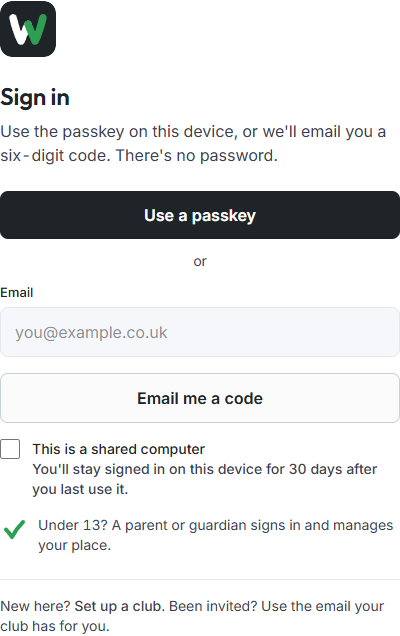
Next time, the sign-in screen shows Use a passkey first, with Email me a code underneath.
Add a passkey on each device you use. Rename gives one a name you'll recognise; Remove takes it away.
A new device
A new phone or computer has no passkey for Whole Team yet. Sign in with a code, then add a passkey on it if you like.
If you lose your phone
- On another device, sign in with a code.
- Open Sign-in and devices. Under Devices, choose End this session for the lost phone. It's signed out of the website at once. An up-to-date Whole Team app signs itself out the next time it's opened, and before it shows medical notes, stand-downs or photos. An app that hasn't been updated can't renew its sign-in, so it stops within the hour.
- Under Passkeys, choose Remove for the lost phone's passkey.
Losing every device never locks you out: your email and a code still work.

Good to know
- A code we text you opens your own week; a few things - a club's settings, its money, its roles, a child's emergency contact and the safeguarding register - ask for your email code as well, and the screen takes you straight to it. Signing in by text explains why.
- Children under 13 don't sign in. A parent or guardian signs in and manages their place.
- The Whole Team app has its own way back in, a PIN or your face, on top of the same emailed code.