

Tours: sign-up, instalments and consent
A tour is a trip away: who's going, what each family pays and when, the consent forms, and the days. The person who starts it is its organiser. The club's treasurer and admins can start one, under Money › Tours. Families sign their children up from the app or the website.
Set one up
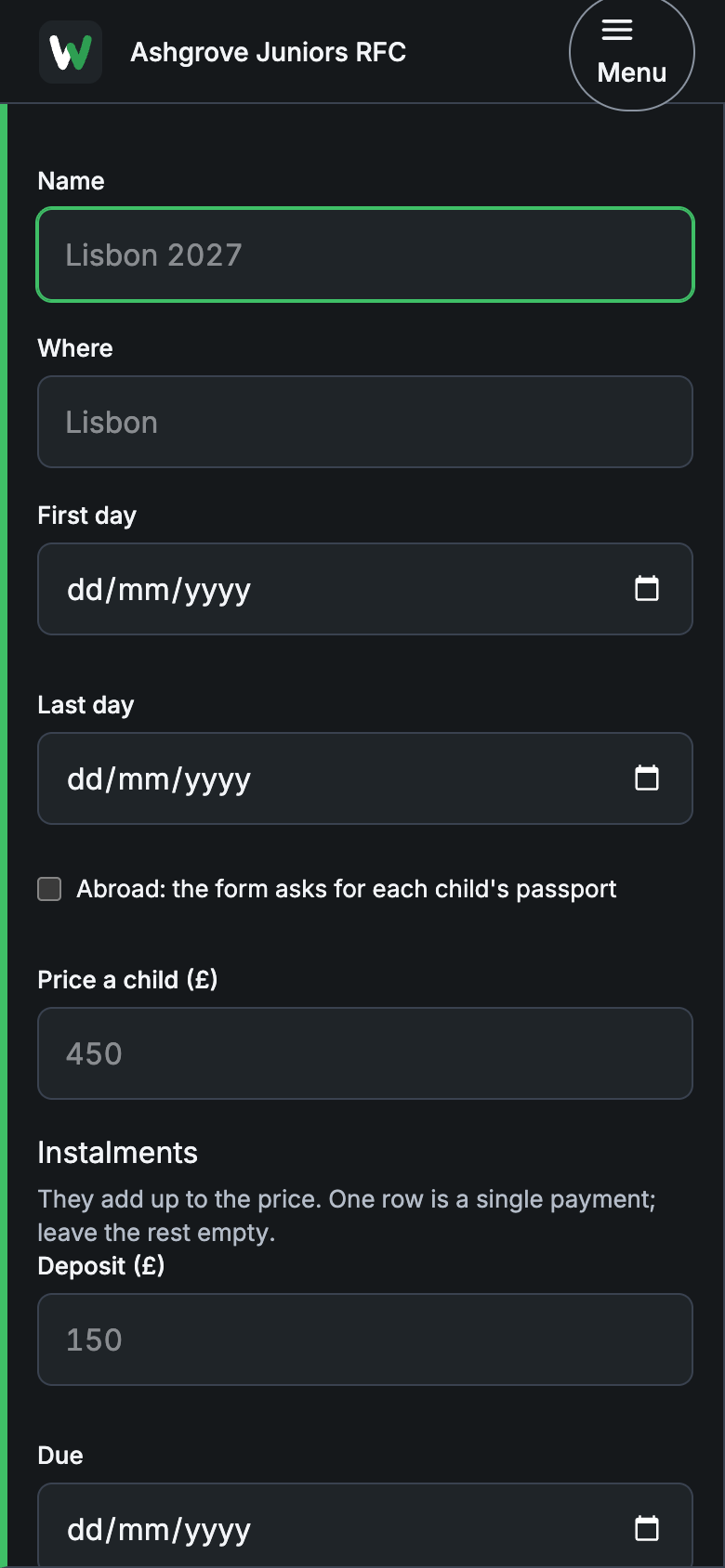
- Choose New tour.
- Enter the Name, Where, First day and Last day.
- Tick Abroad if it leaves the country: the consent form then asks for each child's passport.
- Enter the Price a child (£).
- Under Instalments, enter the Deposit and up to three more, each with its Due date. They add up to the price; for a single payment, fill in one row.
- Under For, tick the teams it's for. None ticked: any child at the club may go.
- Write The club's consent words: what parents are agreeing to, in your own words.
- Choose the date Forms lock on. After it, only the organiser can change a form.
- Add a Kit list if you want one, then choose Start the tour.
The tour gets its own fundraising campaign and tag, carried by every instalment and every tea hut sale on the tour's days.
Families sign up
On the tour's page, each child who could go has a button: Sign Amy up. The deposit is due straight away; the rest fall due on their dates, paid and chased like any other payment.
Then the consent form: the club's words, Dietary needs, Medical notes for the trip, Emergency contact for the dates and their phone, Who may collect, and on a tour abroad the Passport number and its expiry. They type Your full name, to sign, then Sign the form.
The organiser's page
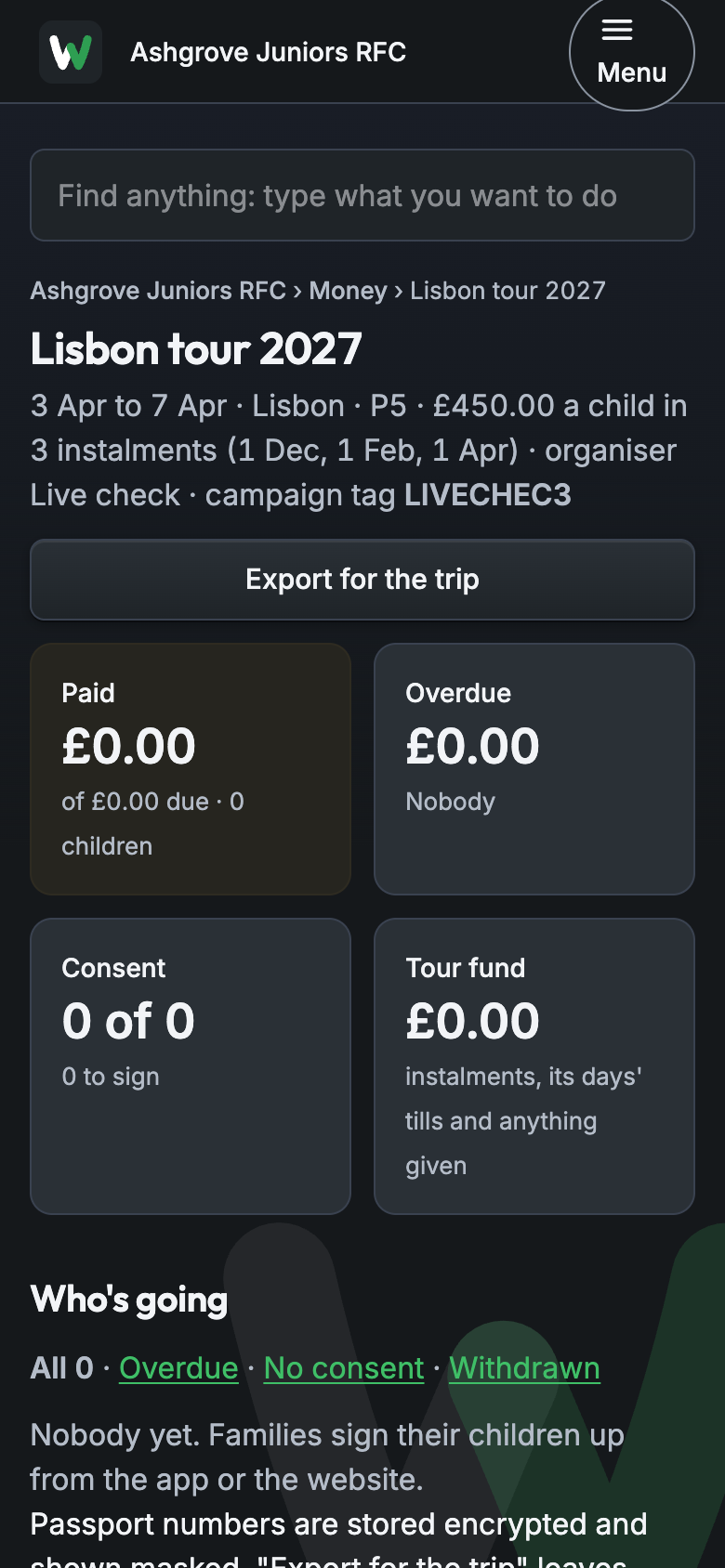
Open the tour from Money › Tours. Across the top: Paid, Overdue, Consent and Tour fund (instalments, the tea hut on its days, and anything given).
Who's going lists each child with their team, what's paid, what's next due, consent and passport. Filter by Overdue, No consent or Withdrawn. Chase reminds the families who are behind.
The days are the tour's events. Choose Add a day ›. Consent form and kit list has Edit › to change the words, the lock date or the kit.
The export
Export for the trip downloads the list to take away: each child, their team, what's paid and due, who signed, and the dietary, medical, emergency contact and collection details. Children who withdrew are left out.
Passports
A passport number is stored encrypted. Most people see only its last four digits; the full number is for the tour's organiser and the club's safeguarding officer. The export leaves them out unless one of those two ticks Include passports in this export, for that export only.
Withdrawing
A family or the organiser can choose Withdraw. Nothing more falls due. Anything already paid is for the family to raise with the club's treasurer.