Associations
An association is a league, district or county body whose members are clubs. It runs tournaments that only its member clubs can enter, and when it publishes, the fixtures go straight into those clubs' calendars.
Setting up an association
- Choose Associations in the Cup section of the menu.
- Under Set up an association, type its name and choose Set up association.
- You're its admin. The association has its own page and doesn't appear in the club switcher.
Clubs joining
A club's admin asks to join from the club's page:
- Open the club page and find Ask to join an association.
- Choose the association and choose Ask to join. The club page shows "Asked to join, waiting for the association". Choose Withdraw to cancel.
The association's admin sees the club under Asking to join and chooses Accept or Decline.
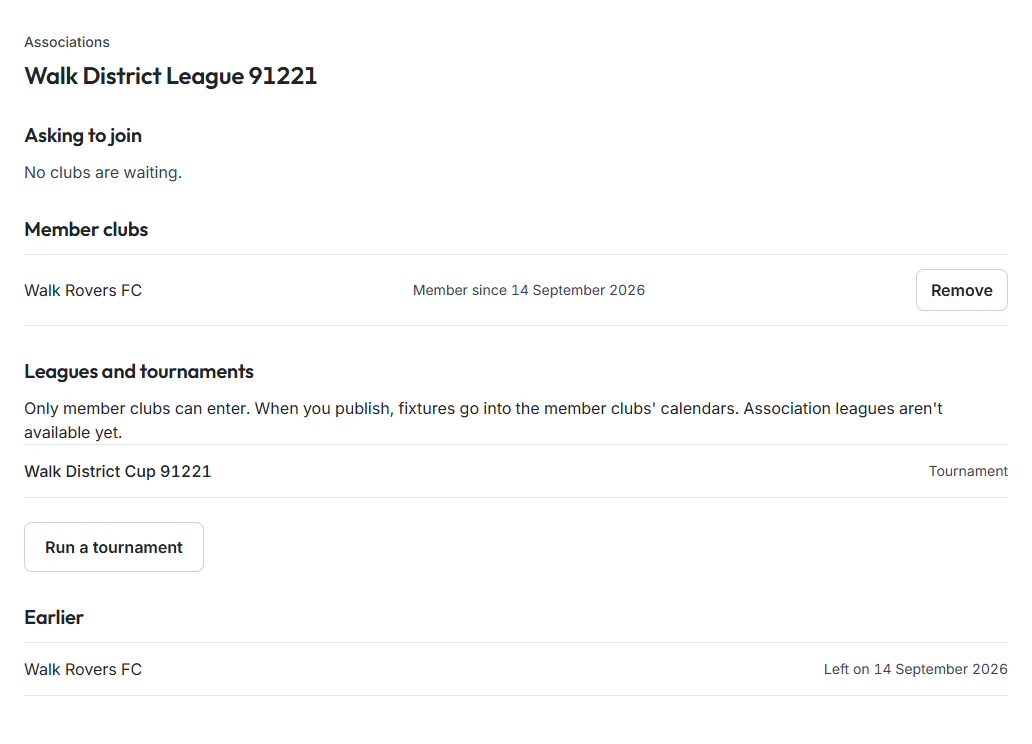
Member clubs
The association's page lists its Member clubs and when each joined. The admin can Remove a club. On the club's page the association shows as Member, and the club's admin can Leave at any time. A club that has left or been declined can ask to join again. Past requests are listed under Earlier.

Running competitions
On the association's page choose Run a tournament, pick the association under Run by and choose Tournament. Only member clubs see the competition when they enter a team; a club that leaves no longer sees it. Everything else works as in Competitions and Running a tournament.
Not available yet: leagues run by an association (a league today belongs to one club's team), and a fixture board where the association sees every member club's games in one place.