

Team manager
Getting started as a team manager
Your season in the app, the parents invited, and the first In or Out answered. About half an hour, most of it waiting for replies.
What you'll have at the end
- Your team's training and matches in the app, so parents see where to be and when.
- Every parent invited by their own mobile, and their children on your team.
- Answers to In or Out, so you know who's coming before the day.
Download the pack: Inviting parents: the coaches' pack (PDF, 6 pages)
The steps
5 steps, about 10 minutes of your time.
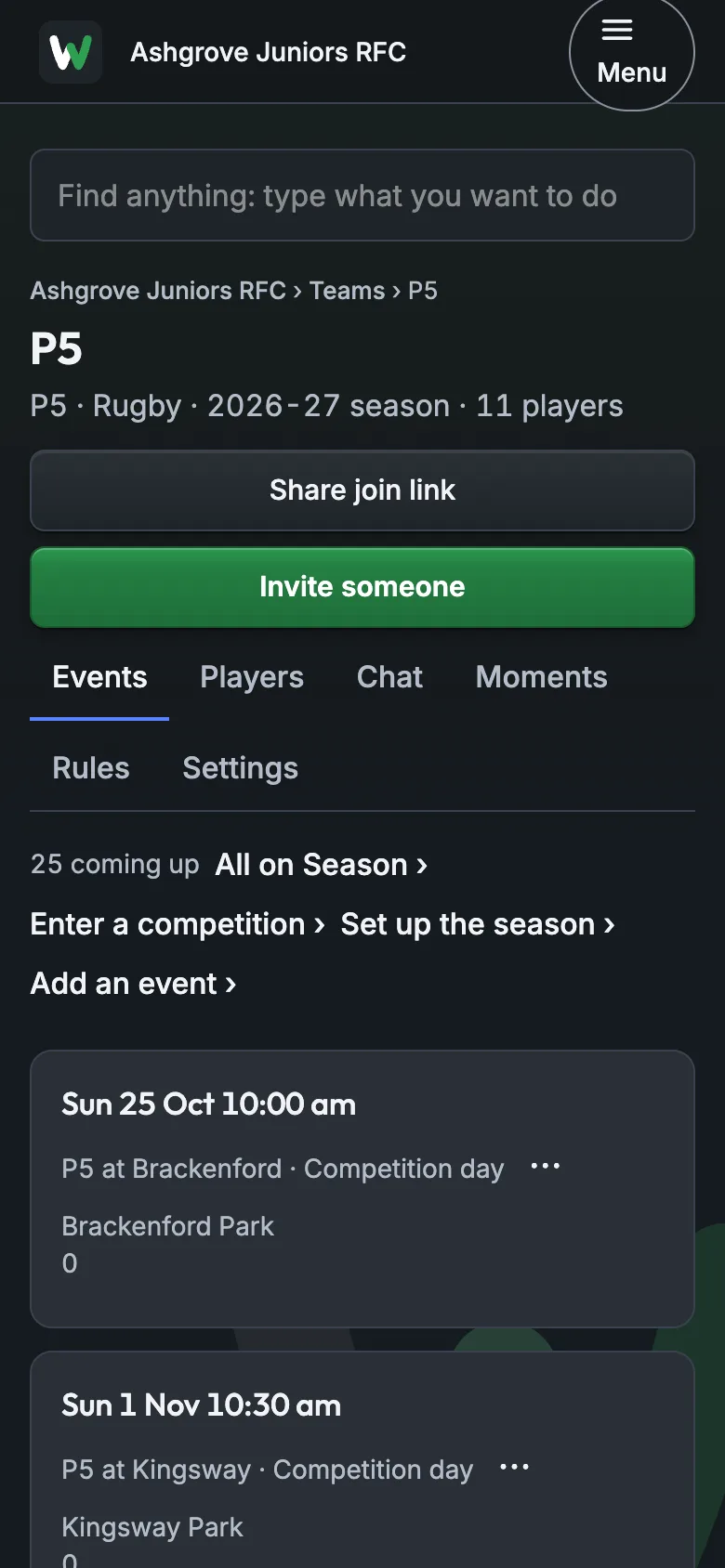
1Check your season
Open your team. Its training and matches are under Events; add any that are missing with Add an event, and set a weekly session to repeat.
About 5 minutes
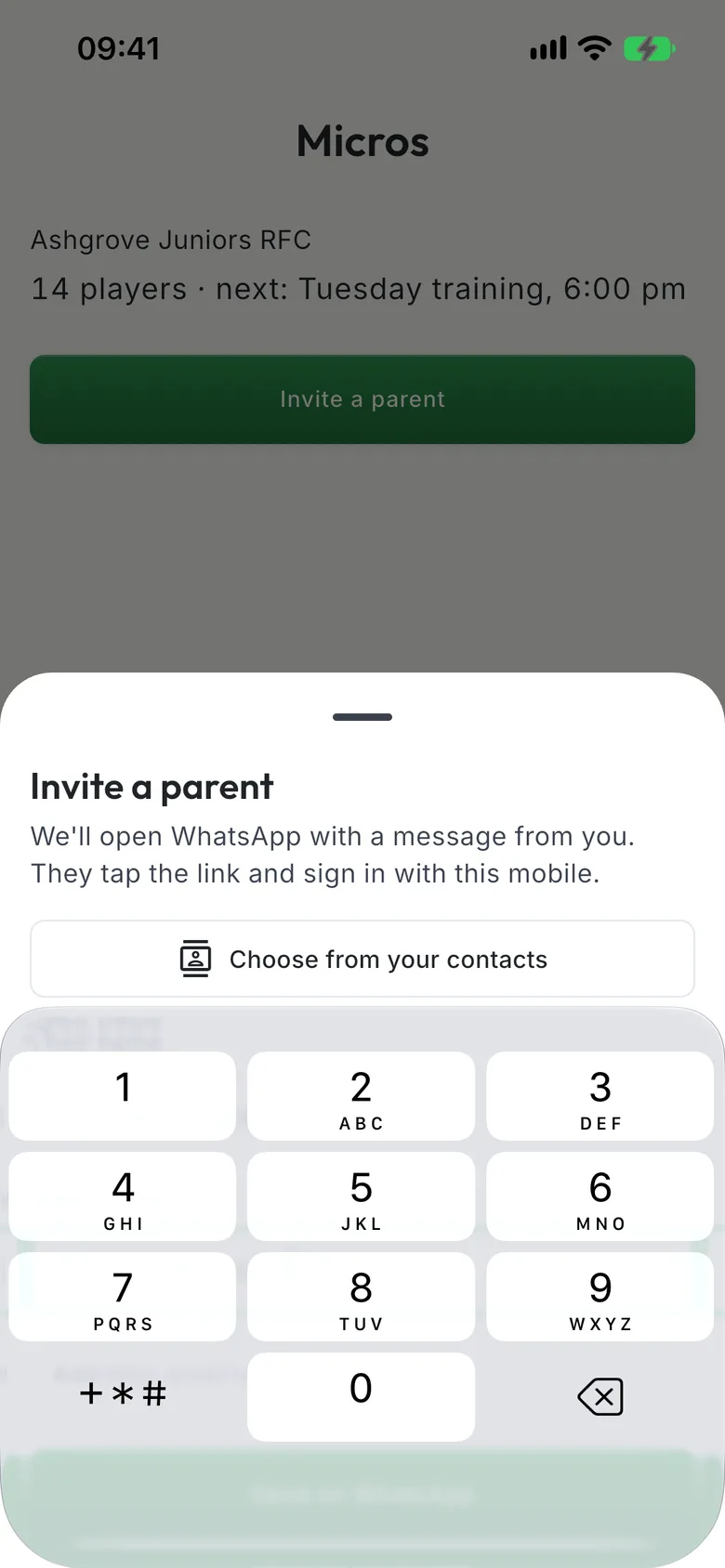
2Invite the parents
On your team, tap Invite a parent. Type their name and mobile, or choose them from your contacts. The invite works only for that mobile.
About 1 minute
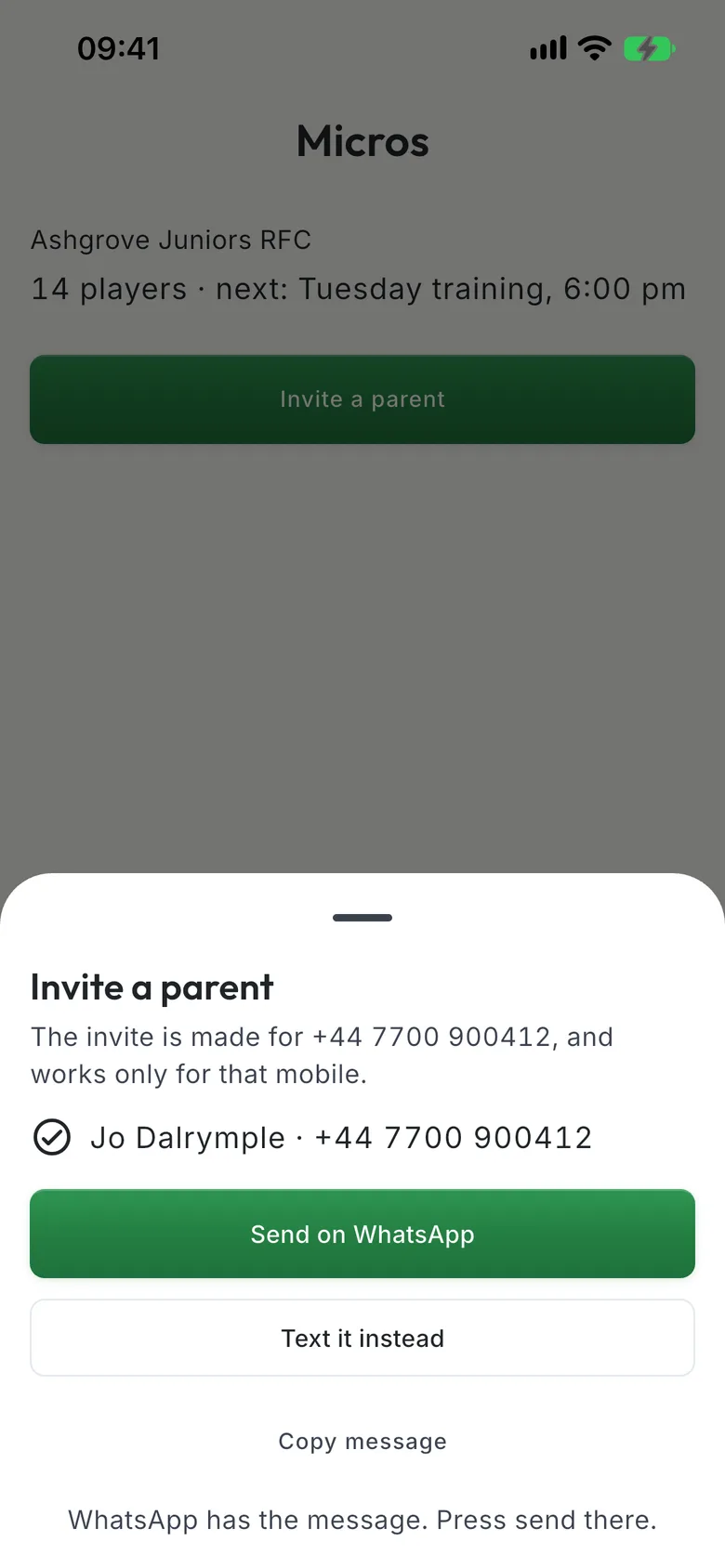
3Send it on WhatsApp
Tap Send on WhatsApp: the message is written for you, so press send. Not on WhatsApp? Text it instead. Do this for each parent.
About 1 minute
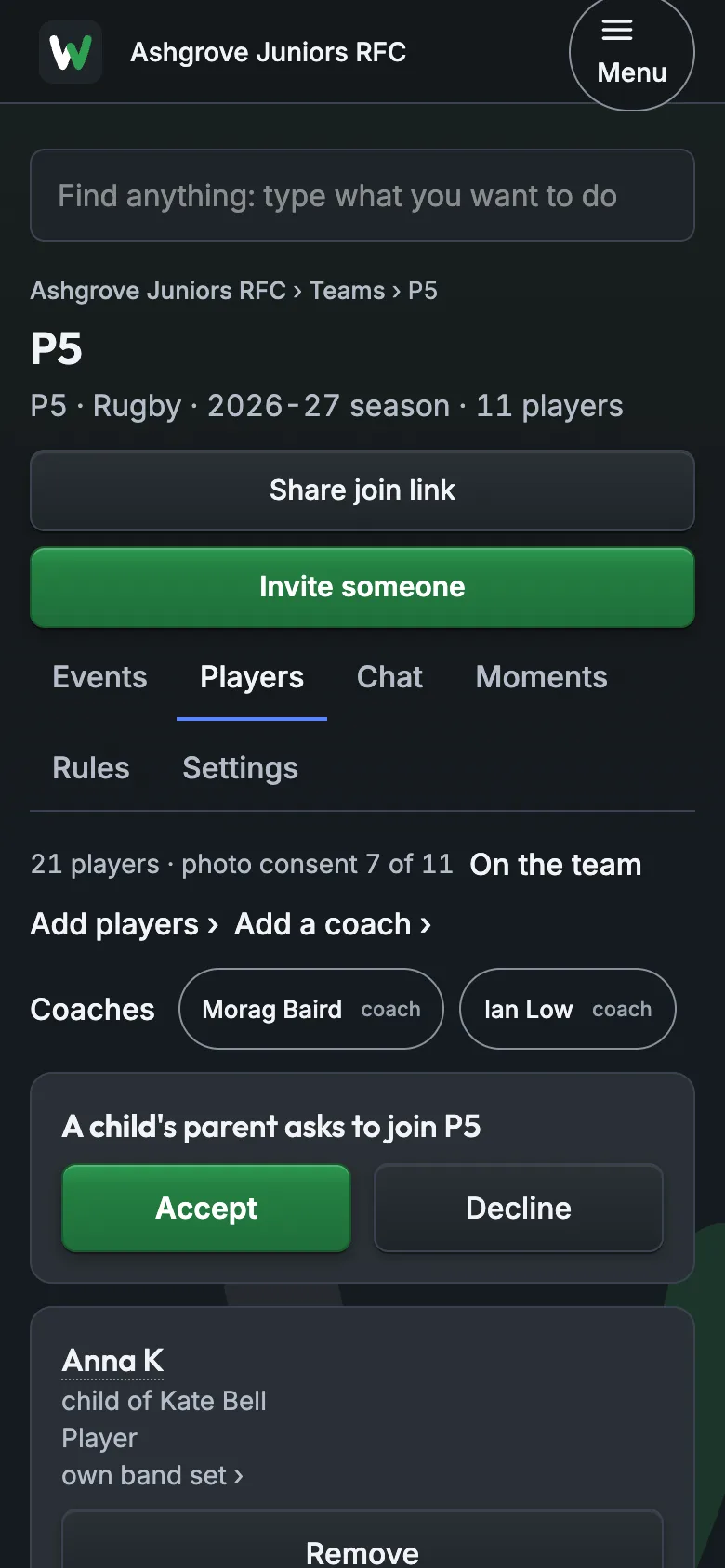
4Approve the asks
When a parent adds their child they ask to join your team. You see the ask on your team's Players; tap Accept.
About 1 minute
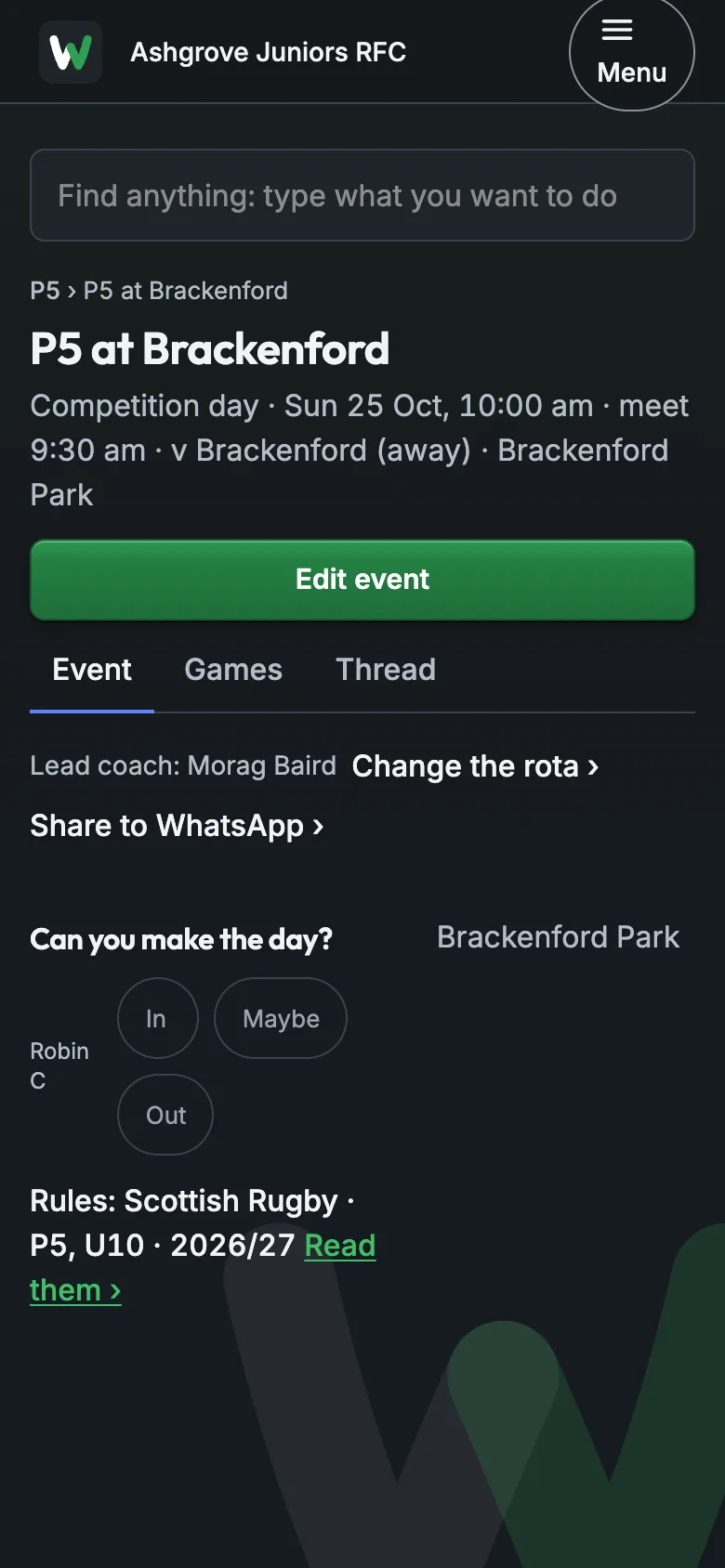
5Ask for the first In or Out
Open the next event. Parents answer In, Maybe or Out for their child; you see who's coming on the event.
About 2 minutes
Guides for the day
What to tell the others
Post this in your team's WhatsApp group before you send the invites, so the link is expected.
Hi all. This season we're running the team on the Whole Team app: training and match times, In or Out, the team sheet and messages, all in one place.
Look out for a WhatsApp message from me with a link. Tap it, type the code you're texted, and you're in. Then add your child and ask to join the team; I'll approve it.
Two parents? One of you joins first, then adds the other from your child's page in the app. Please don't both add your child.
Nothing to pay to use the app. Your child's details are seen only by the coaches who need them.
If it goes wrong
"The code didn't come."
It can take a minute. The screen shows the last three digits of the number it went to.
"Give it a minute, then tap Send a new code. If the last three digits aren't yours, I'll invite you again on the right number."
"It says the invite was for a different number."
The invite works only for the mobile you typed: they're signing in with another, or it was typed wrong.
"Let me invite you again on the number you use." Then Invite a parent with the right mobile.
"The other parent already added our child."
The app won't let a second parent add the same child: it tells them to ask the first parent instead.
"Ask the other parent to open your child in the app and tap Add other parent with your mobile."
Still stuck? Talk to us: a person answers.
You're set up when
- Your team has its coming training and matches
- You've invited a parent
- No asks to join are waiting for you
- Parents have answered In or Out for an event